

Overview
Strapi is a leading open-source headless CMS for structuring content and building flexible APIs. The@creem_io/strapi plugin brings Creem’s billing capabilities directly into your Strapi 5 admin panel, so you can create products, configure checkout, and receive verified webhooks without leaving your CMS.
Creem acts as the legal seller of record. VAT, GST, and sales tax across 190+ countries are calculated, collected, and remitted for you, making this pairing especially useful when your Strapi project is the operational hub for a product you sell globally.
What you'll learn
What you'll learn
How to install and configure the Creem plugin for Strapi 5, manage products from the Strapi admin, wire up a front-end checkout through Strapi’s content API, and receive verified Creem webhook events.
Requirements
- A Creem account with at least one API key
- A Strapi 5 project (or create one during this guide)
- Node.js v22 or later
Create a Strapi project
Open your terminal and scaffold a new Strapi project with their CLI:http://localhost:1337/admin. Complete the initial registration so you can sign in after installing the plugin.
Install the Strapi plugin
To install the plugin, run the following command: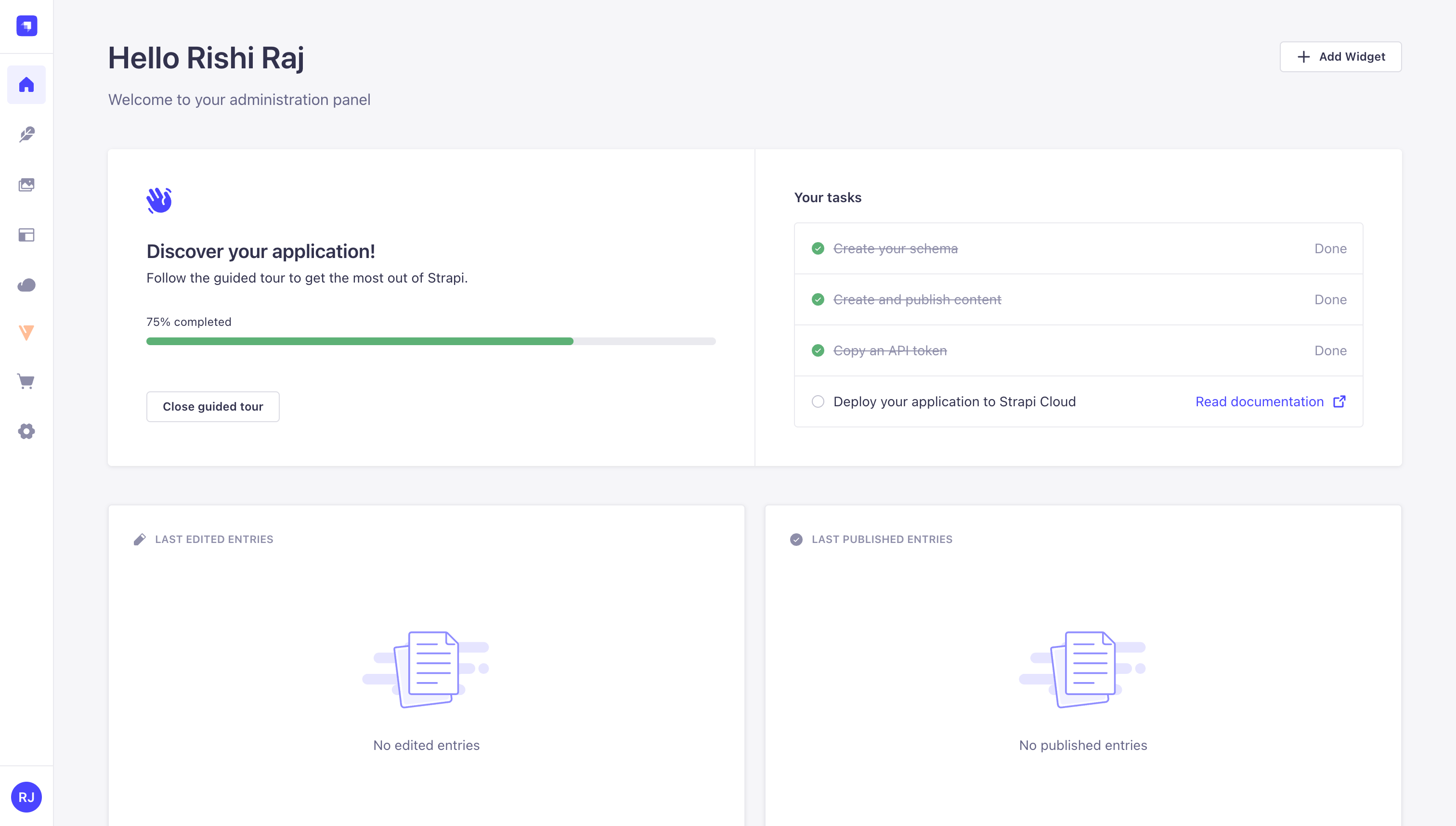
Strapi admin home with the Creem plugin visible in the left sidebar
Configure environment variables
API Keys
Get at least one API key from the Creem dashboard under Developers. Test and production keys are separate; test keys are typically prefixed withcreem_test_.
Webhook Secret (optional)
Once obtained, add these variables to your Strapi project’s
.env:
Access the plugin
Open the admin panel again and then open Strapi 5 Plugin for Creem in the left sidebar.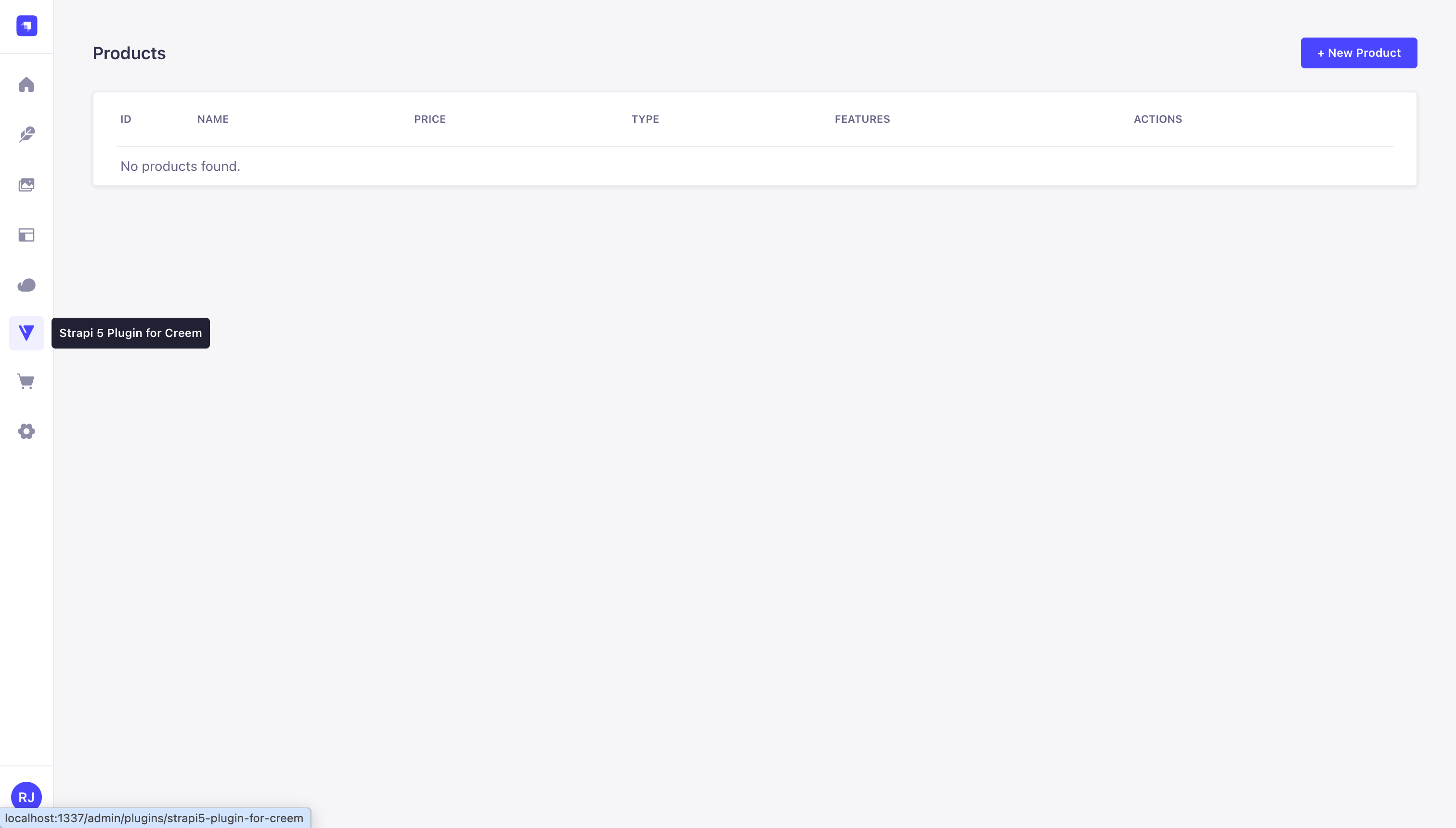
The Creem products page on first open, before any products are created
Manage products
Click + New Product to open the create form.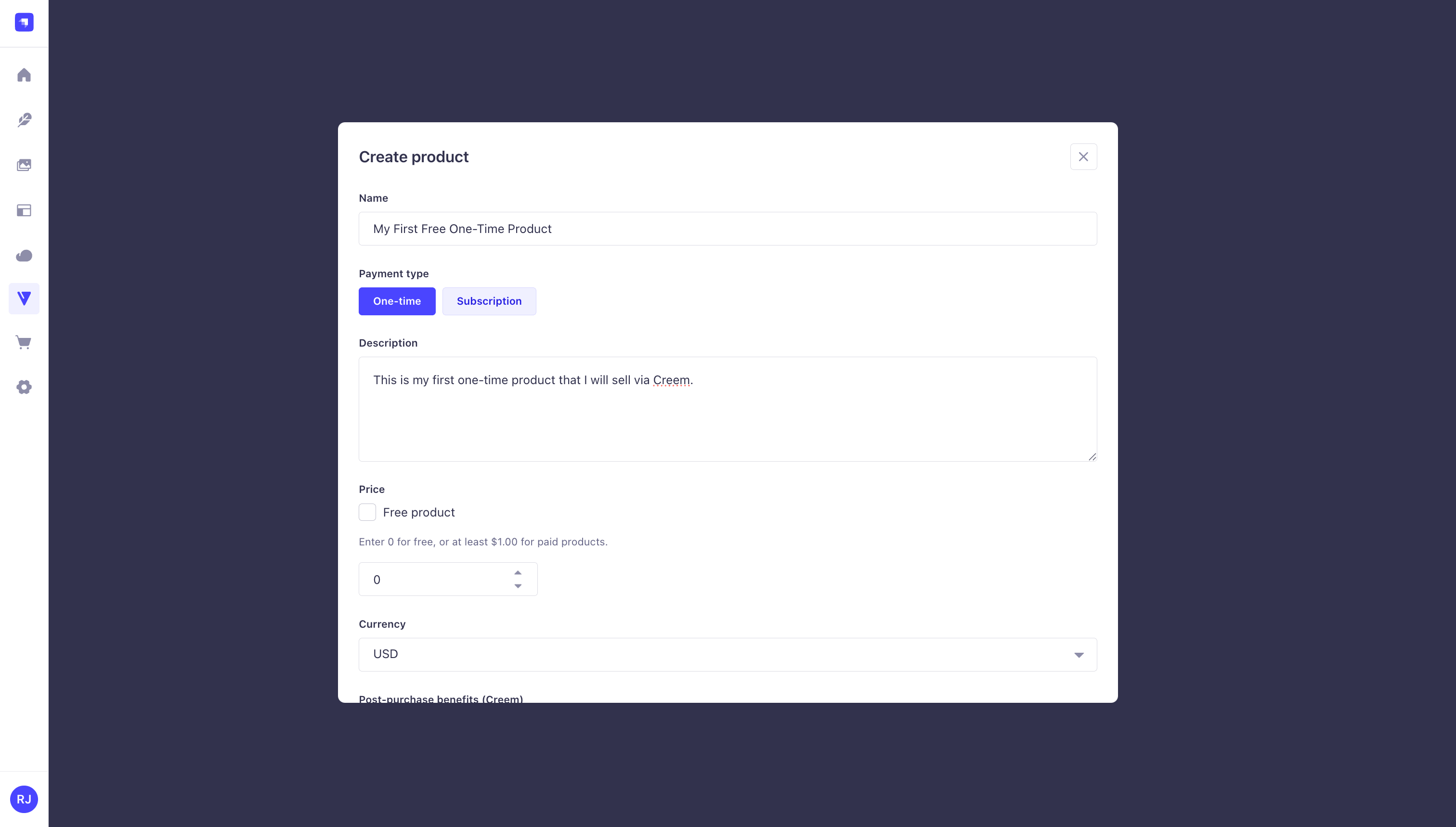
The create product form with options for payment type, price, currency, and optional features
- One-time and subscription products (including free products with price
0) - Billing interval for subscriptions (daily, monthly, every 3 months, every 6 months, yearly)
- Currency selection (USD or EUR)
- The list view excludes archived products
Edit and archive open the Creem dashboard directly. The Creem API does not support those operations through this plugin yet.
Front-end checkout
The Strapi plugin exposes a checkout route through Strapi’s Content API.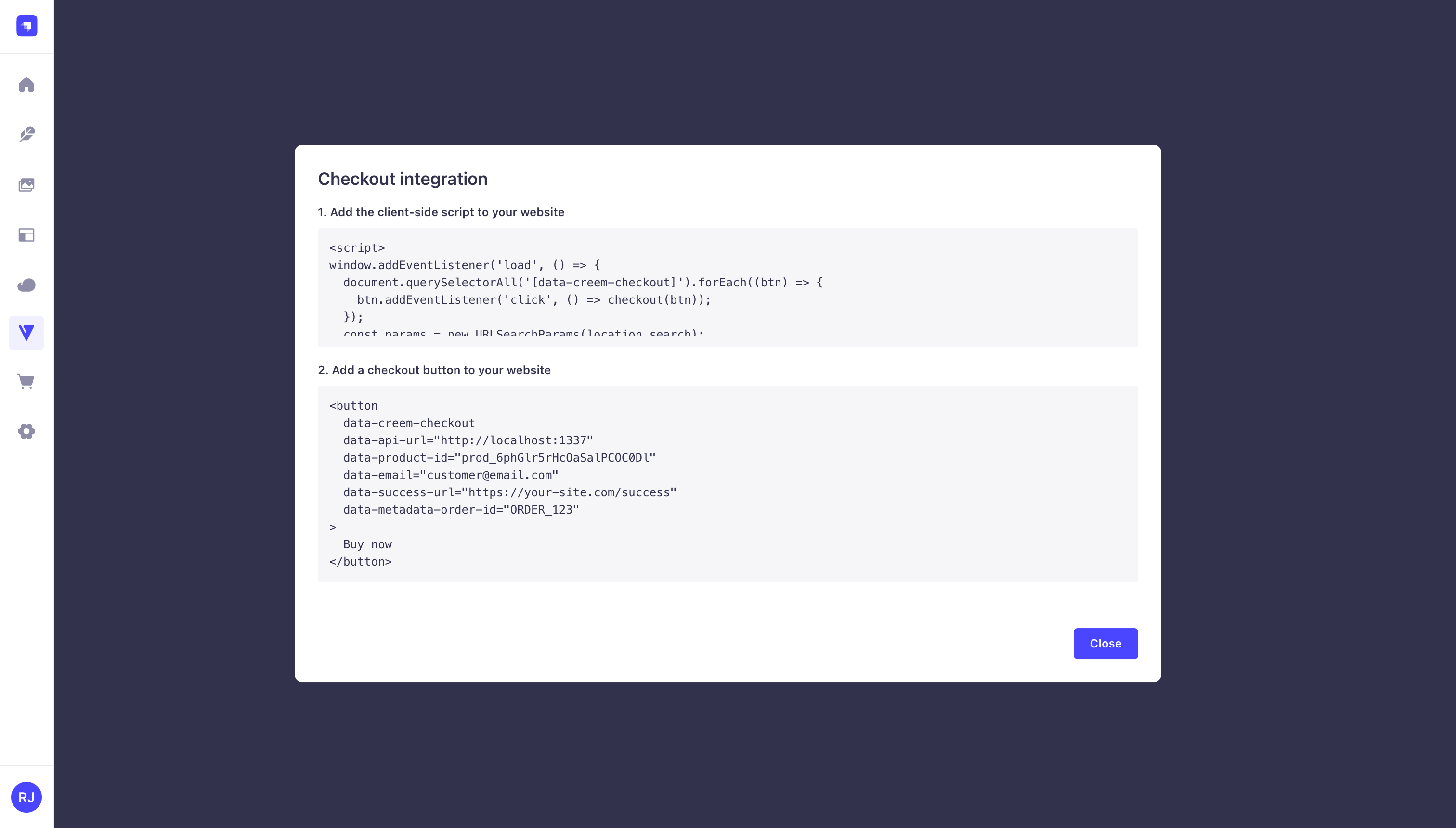
The checkout integration modal showing the ready-to-use embed snippet and script
{ "url": "..." } for redirect.
Example request body:
Configure environment and webhook forwarding
To configure the environment and webhook forwarding settings in Strapi, open the Strapi admin sidebar and click on Settings.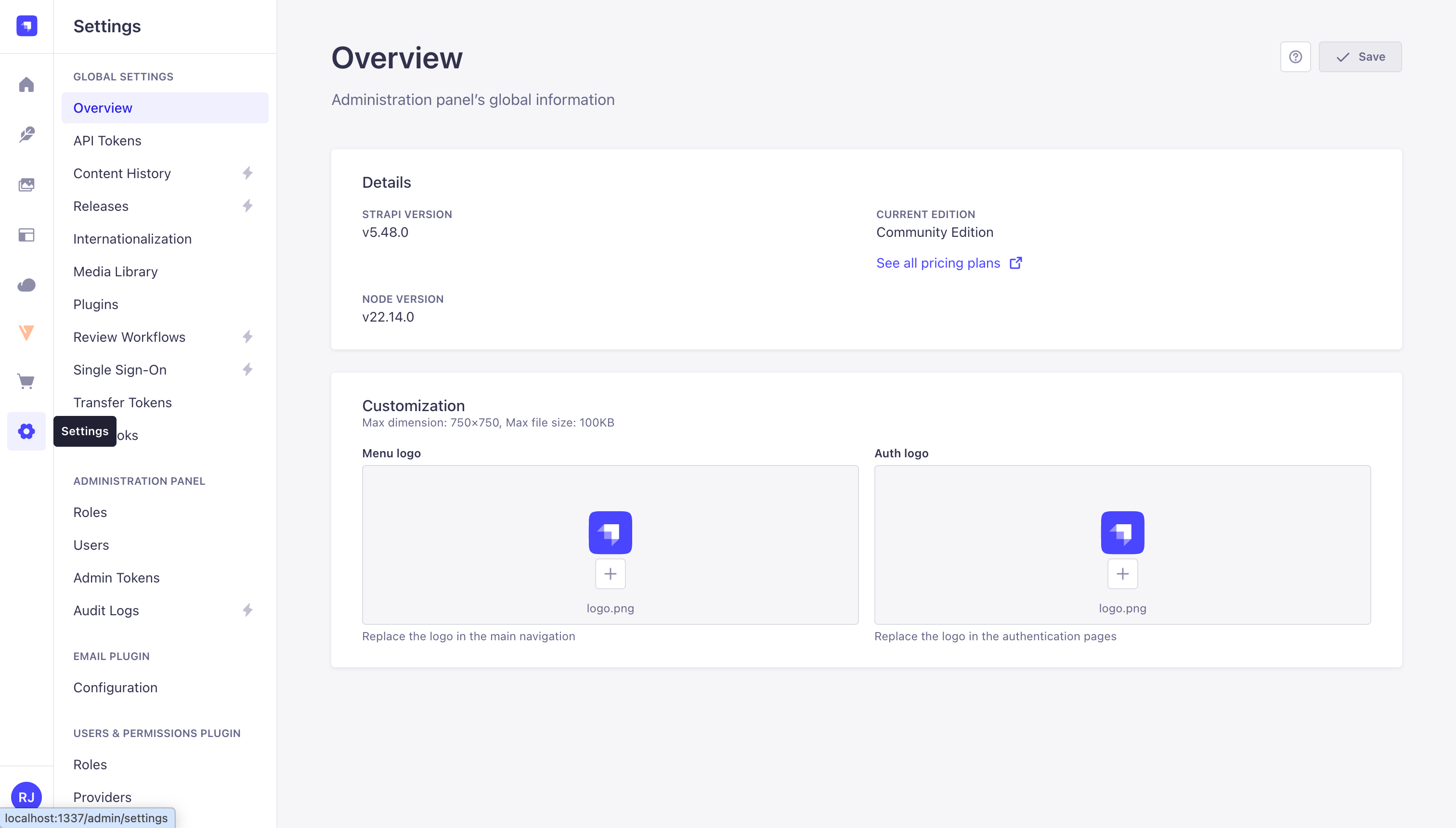
Open Settings from the Strapi admin sidebar
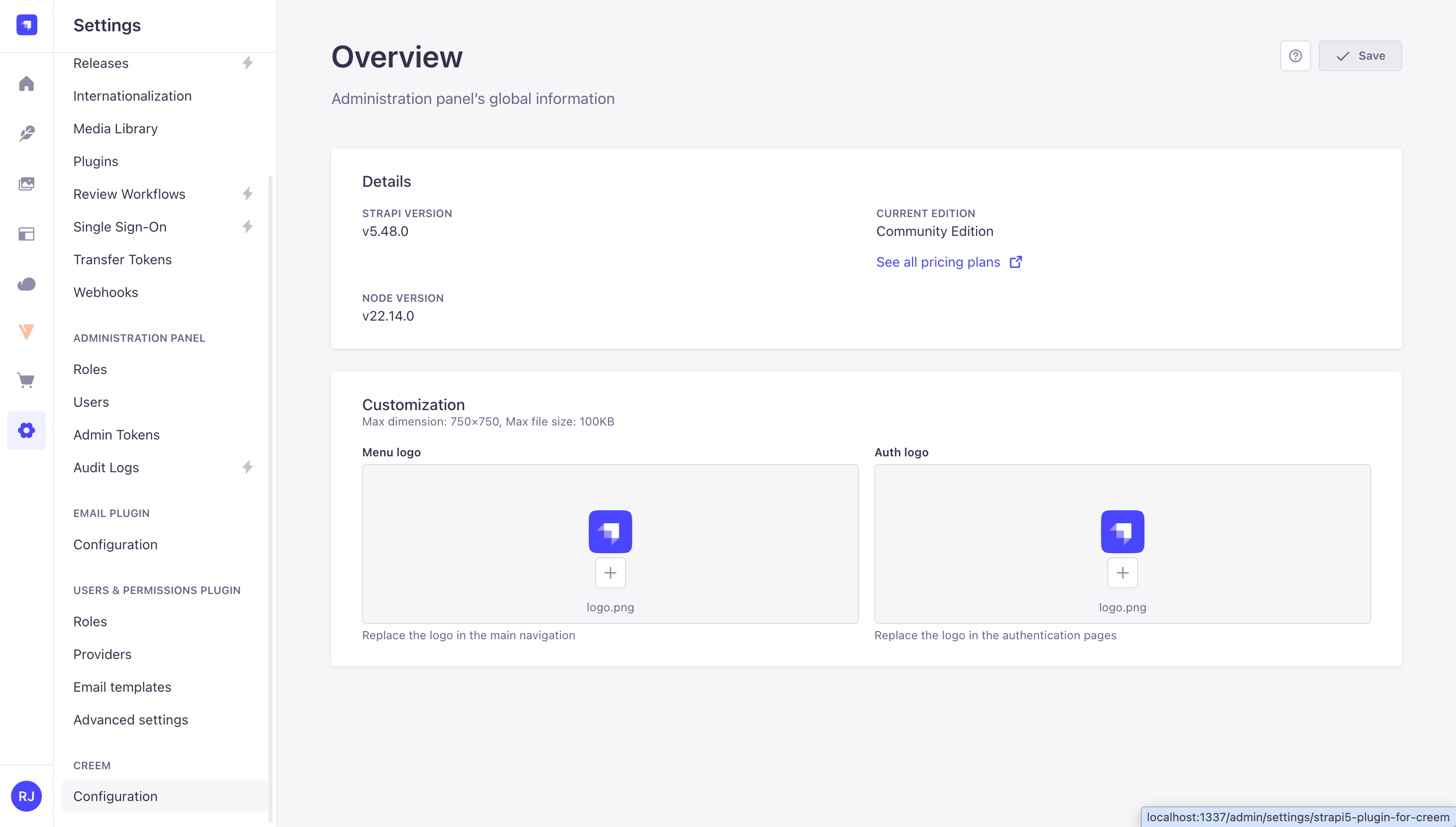
The Creem section under Settings where you click Configuration to open the plugin settings
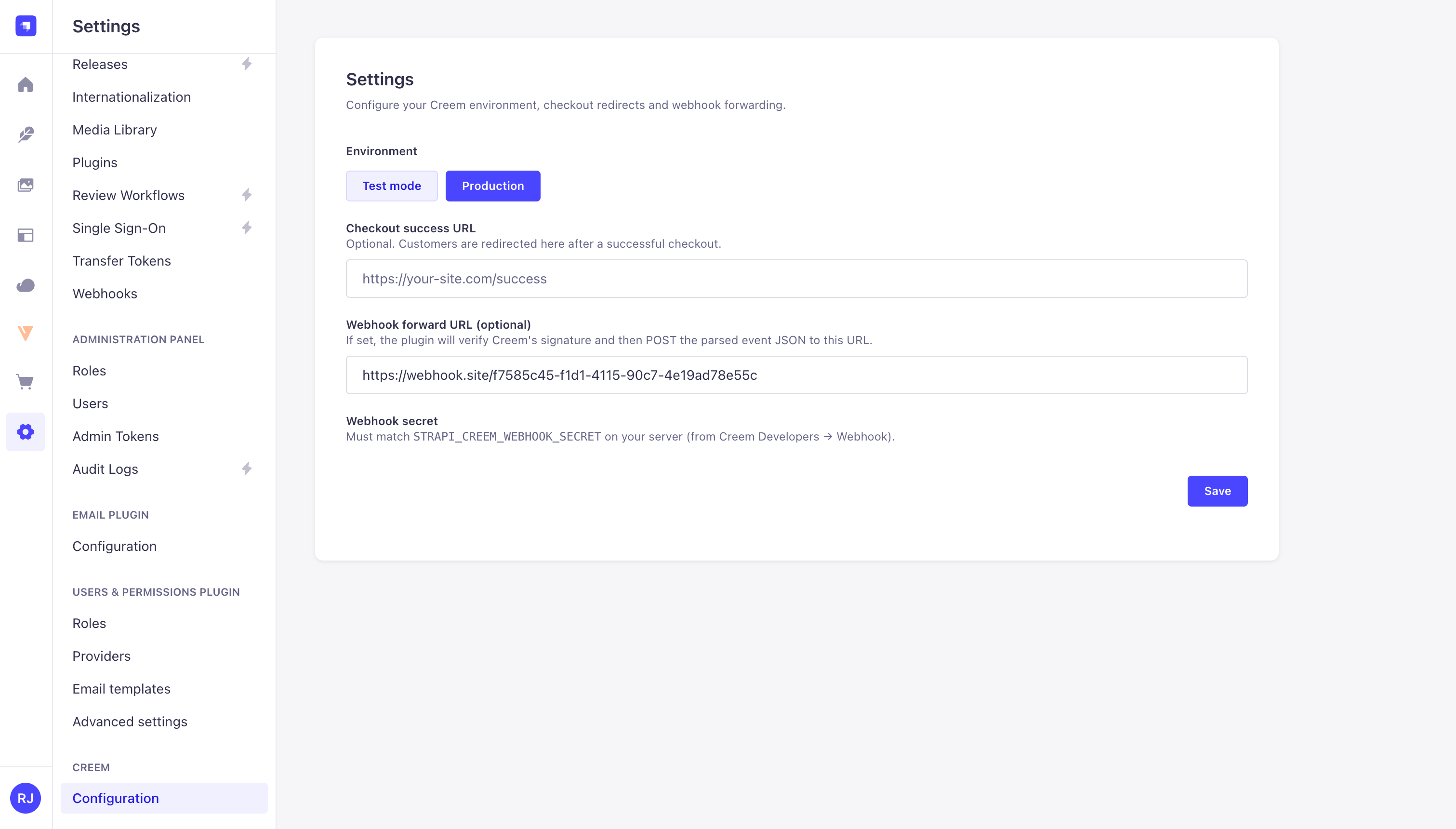
Plugin configuration page for setting the environment, checkout success URL, and webhook forwarding
Register the webhook in Creem
- In the Creem dashboard, go to Developers → Webhook.
-
Add your public HTTPS endpoint:
Production / staging:
Local development (Creem cannot reach
localhostdirectly, so expose your local Strapi with a tunnel first):Then use the tunnel URL: -
Copy the signing secret and set
STRAPI_CREEM_WEBHOOK_SECRETin your Strapi.env. - Restart Strapi.
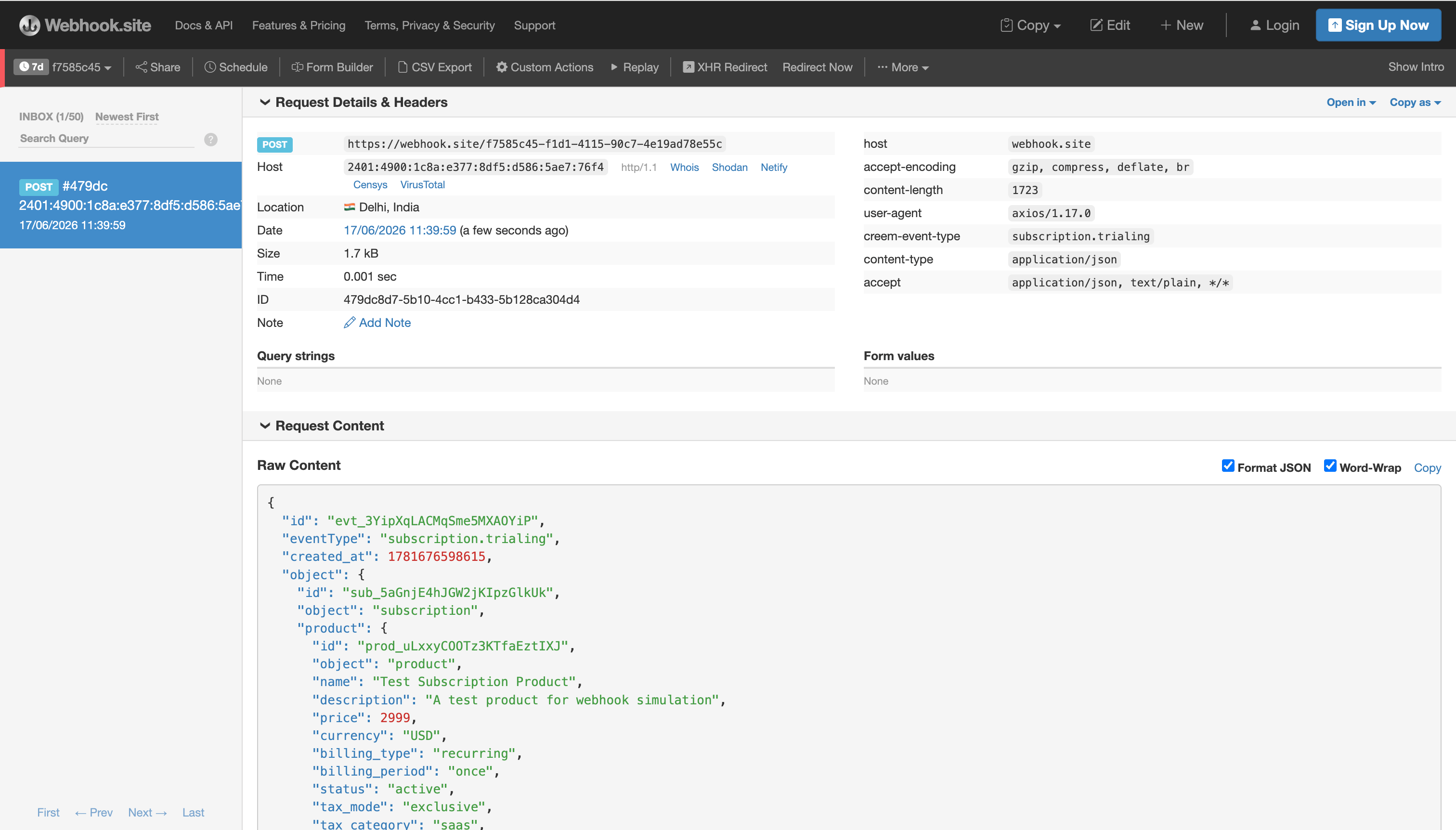
A forwarded Creem webhook event received at the configured forward URL
checkout.completed, subscription.active, subscription.paid, subscription.canceled, refund.created, and more).
Resources
@creem_io/strapi on npm
Install the plugin and view release history.
Creem webhooks guide
Signature verification, event types, and payload examples.
Strapi Content API
Strapi’s REST content API reference.
Creem quickstart
Get your first API key and create a test product.