

What is a Storefront?
A Storefront is a fully hosted page on Creem’s domain that automatically displays all your products in a clean, professional layout. Your customers can browse, compare, and purchase any of your products from a single page. No coding required. No website needed. Just create your products and your storefront is ready.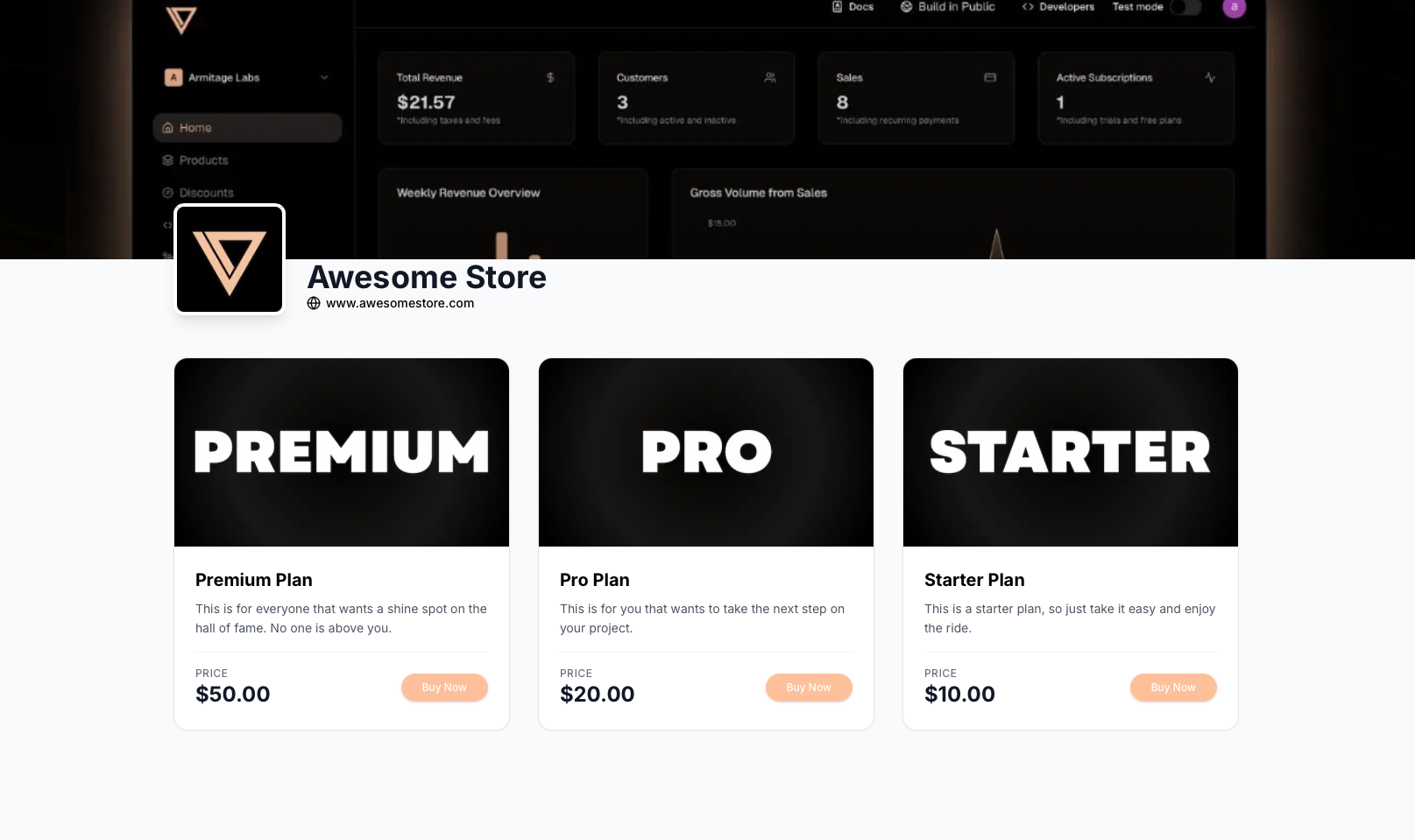
Key Features
- Automatic Product Listing - All your active products appear automatically
- Hosted by Creem - No servers or infrastructure to manage
- Mobile Optimized - Works perfectly on all devices
- Built-in Checkout - Seamless payment flow included
- Always Up-to-Date - Product changes reflect instantly
How It Works
When you enable Storefronts, Creem creates a unique URL for your store:- Browse all your products
- Click on any product to learn more
- Complete checkout instantly
- Receive their purchase confirmation
Setting Up Your Storefront
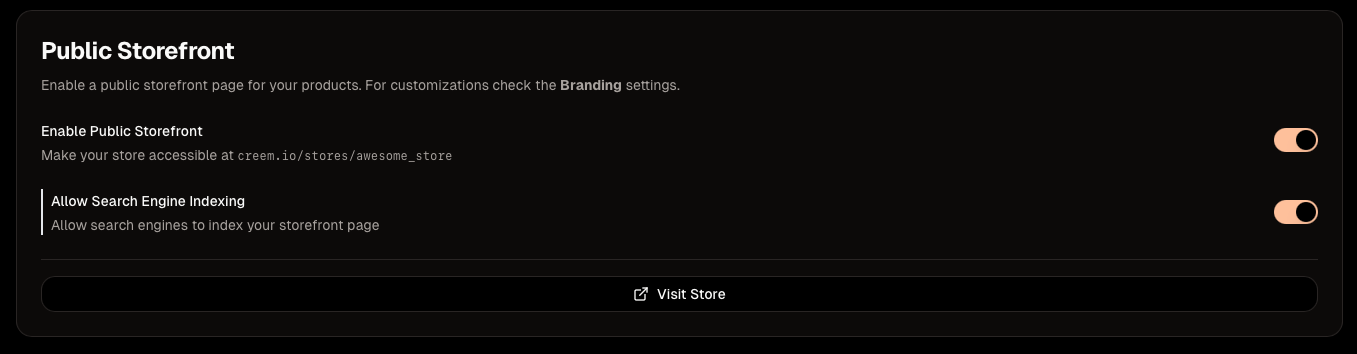
Step 1: Enable Storefronts
- Log into your Creem dashboard
- Navigate to Settings > Storefronts
- Click Enable Public Storefront
- Click on Allow Search Engine Indexing if you want to be ranked on Google (optional)
Step 2: Customize Your Storefront
To configure your storefront go to Settings > Storefronts and setup your store.- Logo - Upload your brand logo (recommended: 512x512px)
- Banner - A cool banner to improve the overal look
- Theme - Set a default light or dark theme
- Colors - Match your brand colors (optional)
Step 3: Add Products
Your storefront automatically displays all active products. To add products:- Go to Products in your dashboard
- Click Create Product
- Fill in product details (name, price, description)
- Click Save
Step 4: Share Your Storefront
Once your storefront is ready, share it with customers:- Add the link to your social media profiles
- Include it in your email signature
- Share it in newsletters or marketing campaigns
- Embed it as a link on your existing website
Managing Your Storefront
Updating Products
Any changes you make to your products update automatically:- Edit product details - Changes appear instantly
- Adjust pricing - New prices show immediately
- Add/remove products - Storefront updates in real-time
- Archieve products - They’re removed from the storefront
Related Features
Checkout Links
Create direct payment links for individual products
Product Bundles
Offer multiple products together at a discounted price
Discount Codes
Create promotional codes for your storefront products
Custom Domains
Serve your storefront and checkout on a subdomain you own
Customer Portal
Let customers manage their purchases and subscriptions
Need help setting up your storefront? Contact us or join our Discord community.