

Create Your First Product
Learn how to set up your first product and start accepting payments with Creem.Video Tutorial
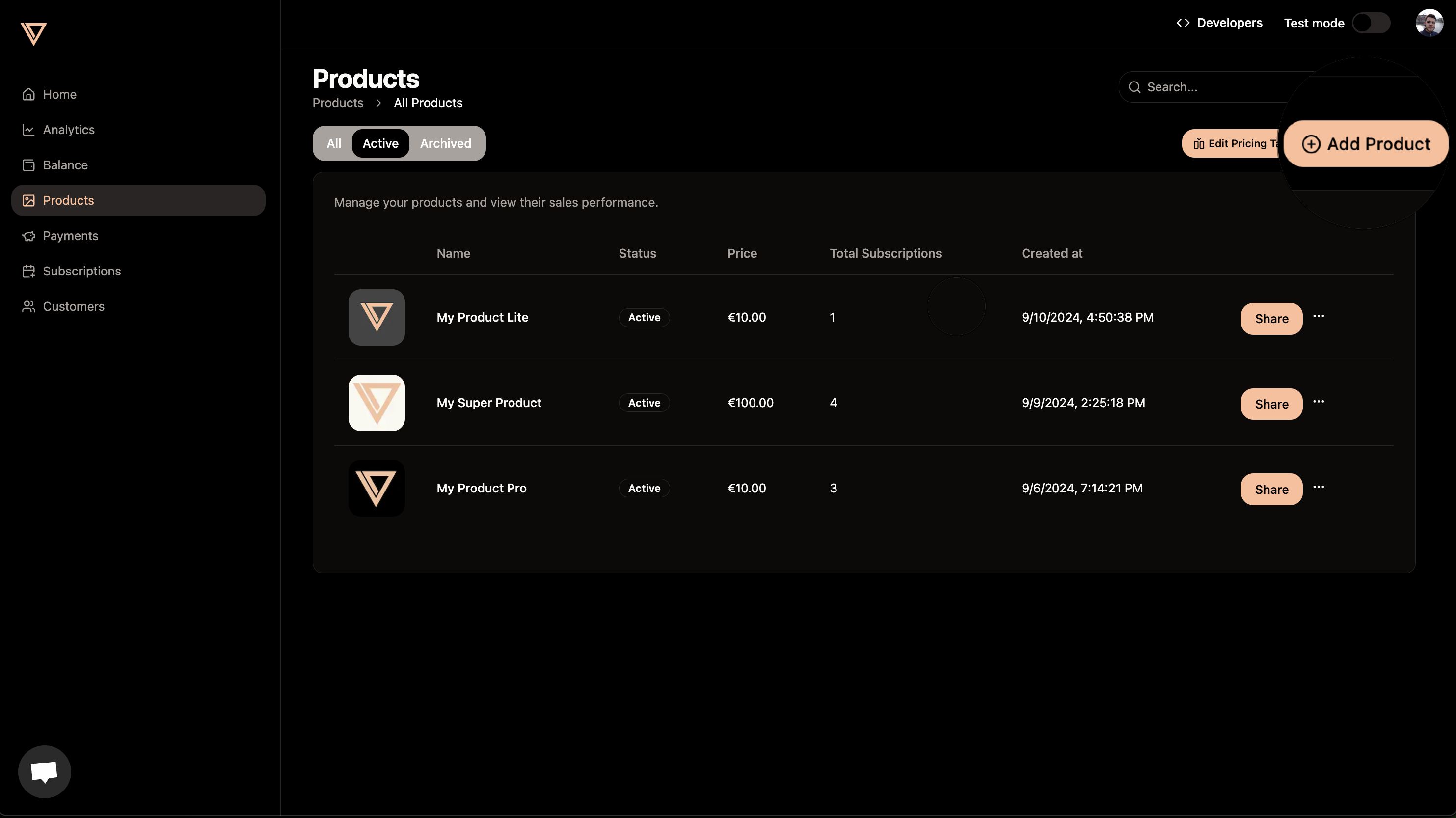
Step 1: Navigate to Products
Go to the products tab in your Creem dashboard.Step 2: Add Product Details
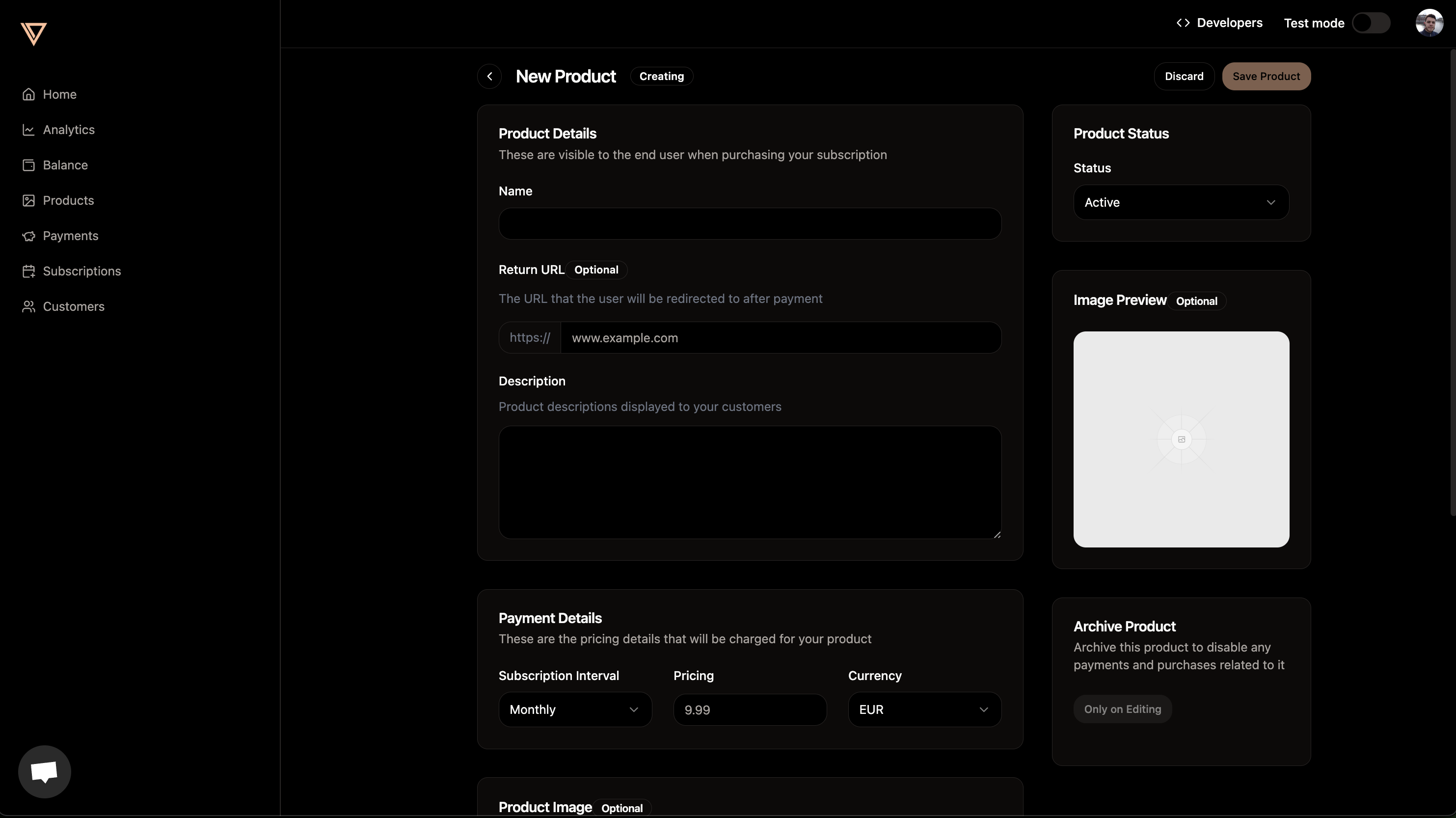
Create a new product by adding:- Name: A clear, descriptive name for your product
- Description: Details about what customers will receive
- Pricing: Choose Single Payment, Subscription, or Free. Free products are
one-time products with a
0price. - Currency: The currency customers are charged in. Creem currently supports USD and EUR.
- Image (optional): Add a product image that will be shown to customers
Product page
Product page
Adding product details
Adding product details
Step 3: Share Your Product
After creating your product, click the Share button to copy the payment link. Send this link to your customers and they’ll be able to pay you instantly.
Next Steps
Checkout API
Learn how to create dynamic checkout sessions programmatically
Webhooks
Set up webhooks to receive real-time payment updates
Customer Portal
Enable customers to manage their subscriptions
Test Mode
Test your integration safely without real charges