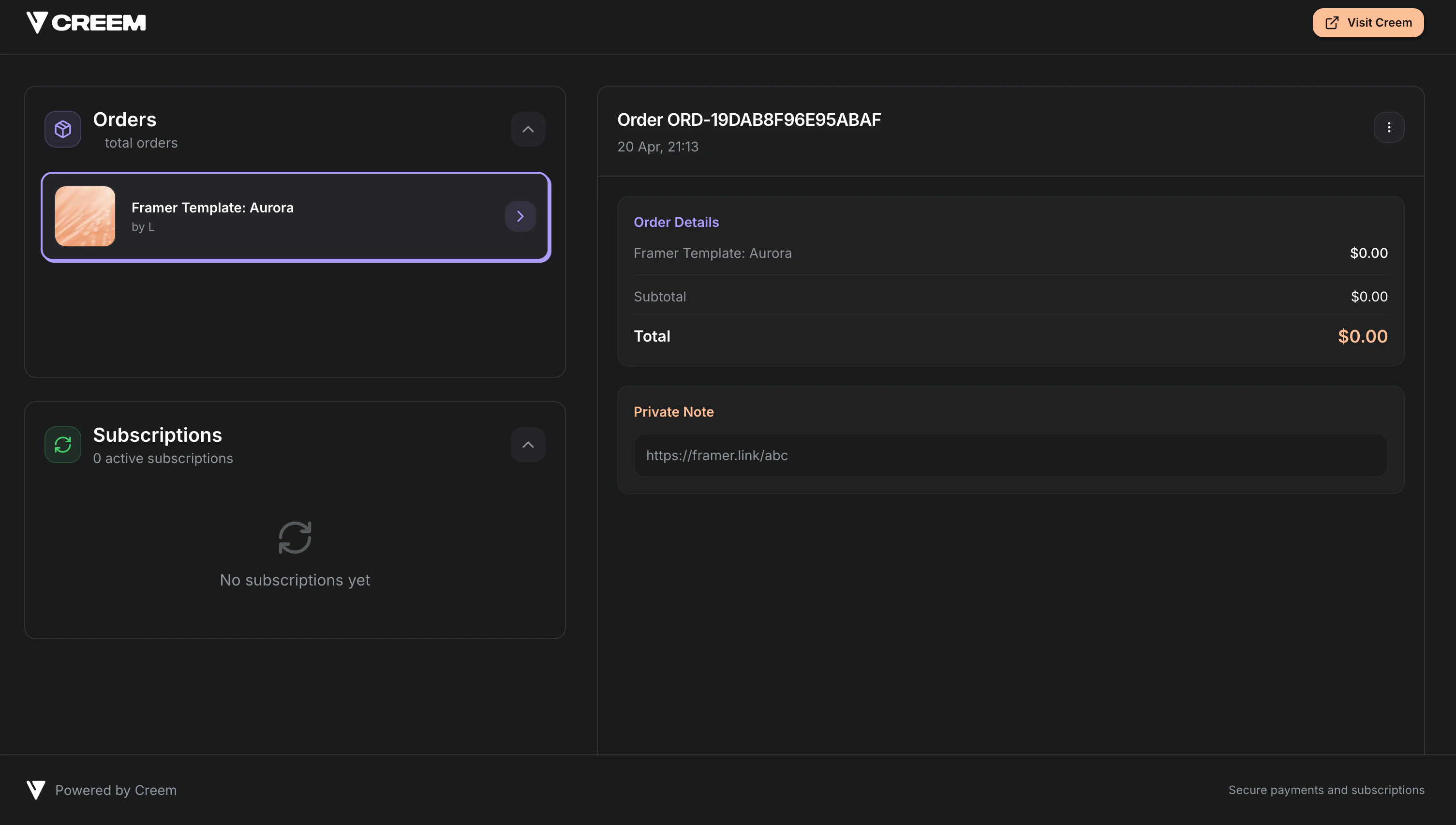
- A product for your template
- A Private Note that contains your remix link (Markdown supported)
- A checkout flow (no-code payment link or API integration)
- Automatic delivery in the post-purchase screen, email receipt, and customer portal
What buyers experience
After a successful payment, the buyer sees your private note content immediately:- Post-purchase confirmation screen (when you don’t redirect away immediately)
- Purchase confirmation email
- Customer portal (so they can find it again later)
Set up automated delivery with Private Notes
1
Create a product for your template
Go to the Products tab and create a new product.Use a clear name like “Framer Template: Aurora” and a description that matches what the buyer gets.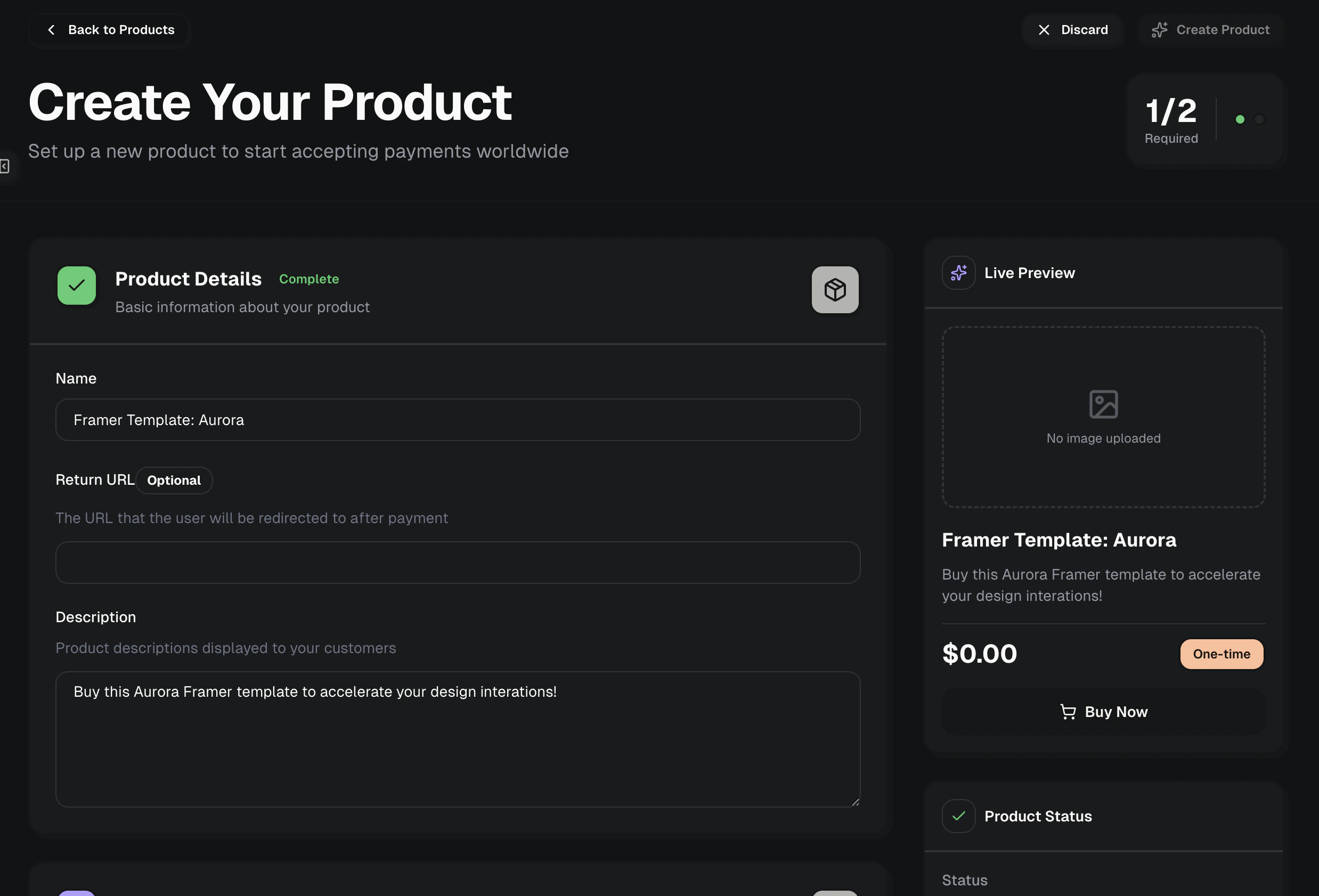
2
Enable Private Notes and add your Remix link
In the product settings under “Product Features”, add a feature called Private Notes and paste a note that includes your Remix link.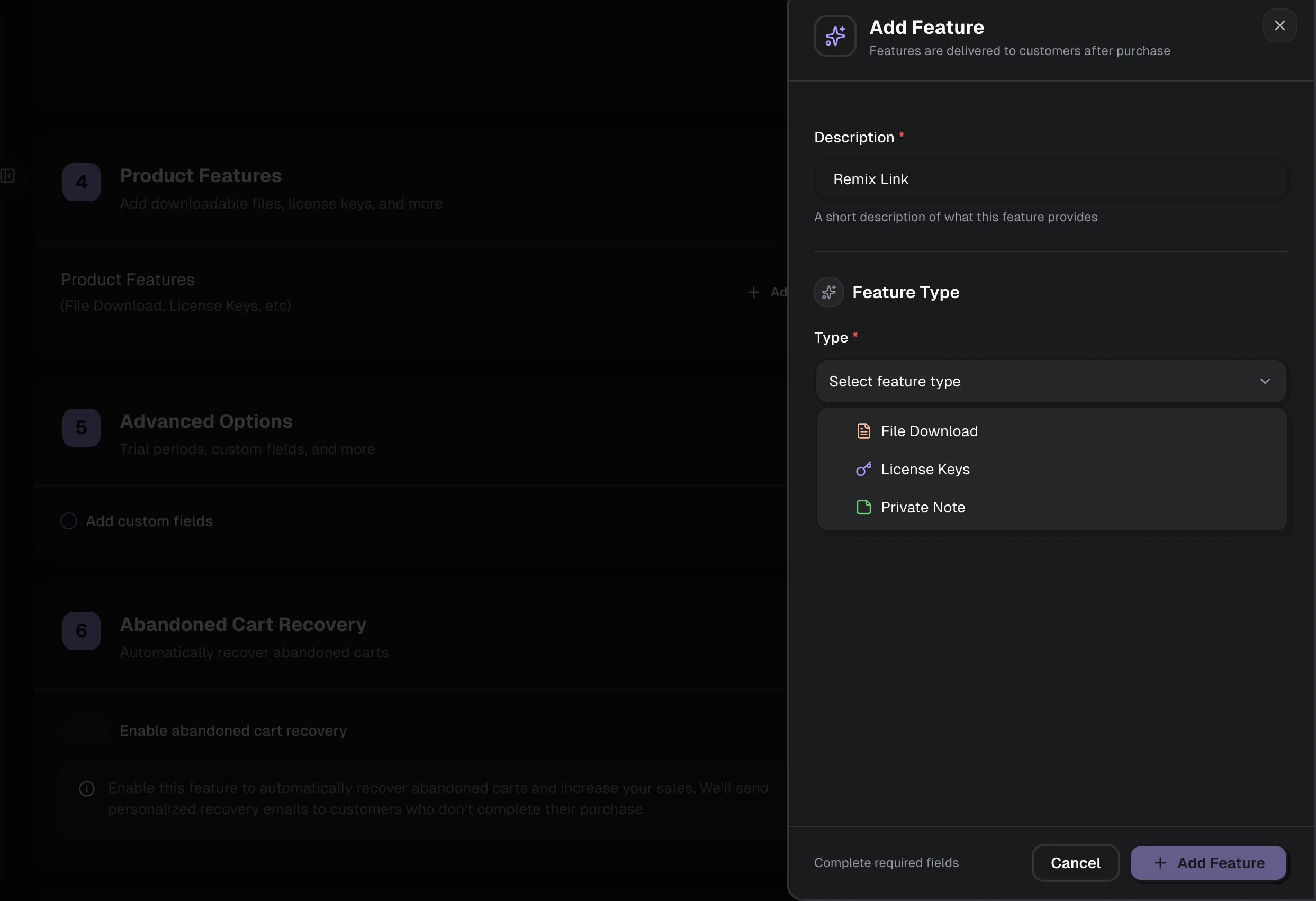
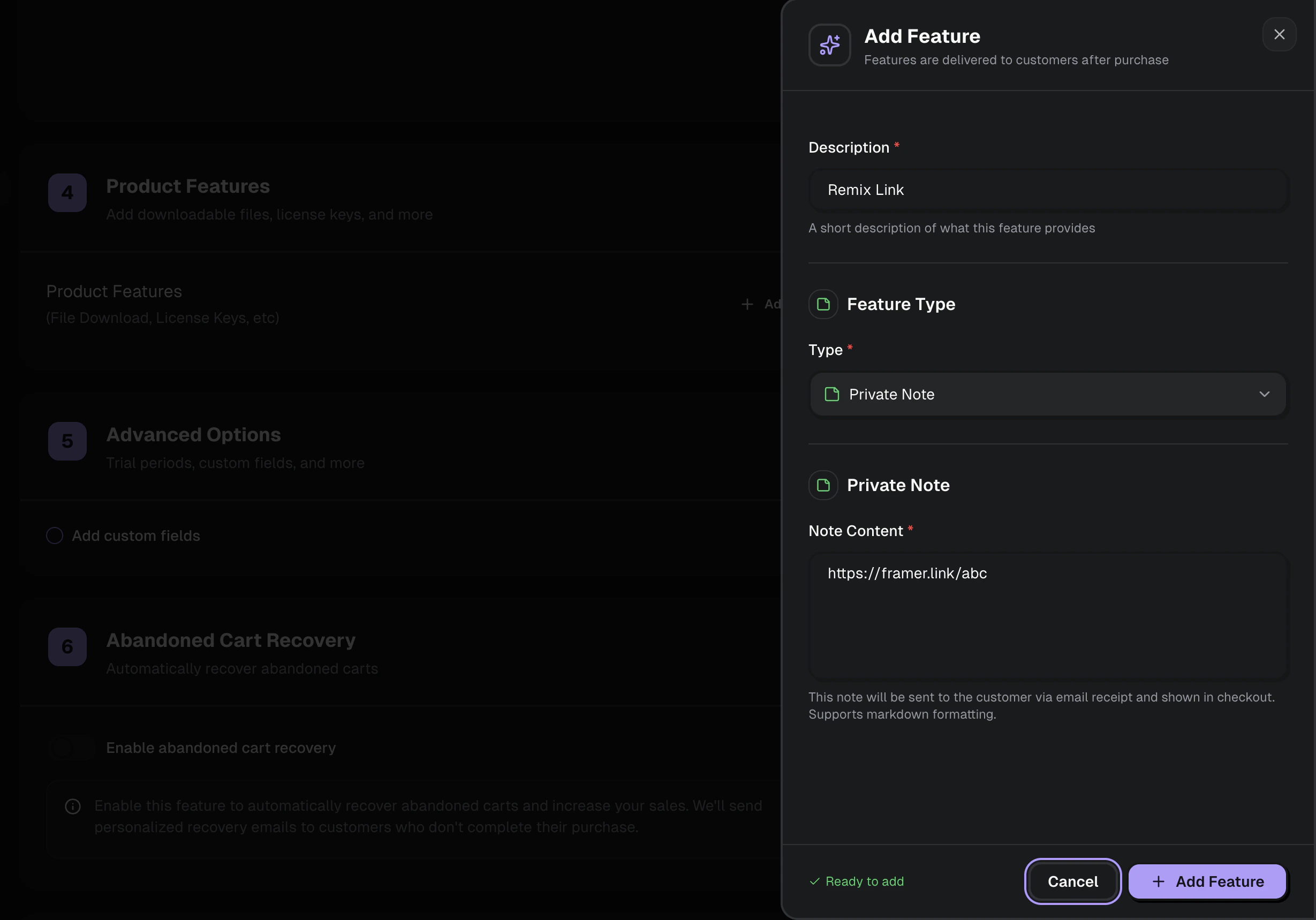
Keep the remix link in the Private Note so it’s only revealed after payment.
Create a checkout (no-code or API)
You can sell the template with either a shareable checkout link or a checkout session you create on demand.No-code checkout link
Copy a payment link from the product and share it anywhere.
Programmatic checkout session
Create a checkout session via API/SDK for dynamic flows.
Option A: Share the product payment link (no code)
After creating your product, click Share in the dashboard and use the payment link on:- Your landing page
- A “Buy now” button
- A newsletter or social post
Option B: Create a checkout session (API)
If you want to attach internal tracking (template slug, campaign, user ID), create a checkout session and redirect the buyer to it.Where the Remix Link Appears to Customers
After setup, the Framer remix link will be automatically delivered to customers in several places upon successful purchase:Order Confirmation Page
If no custom redirect URL is specified, the note is immediately displayed on the order success page after checkout.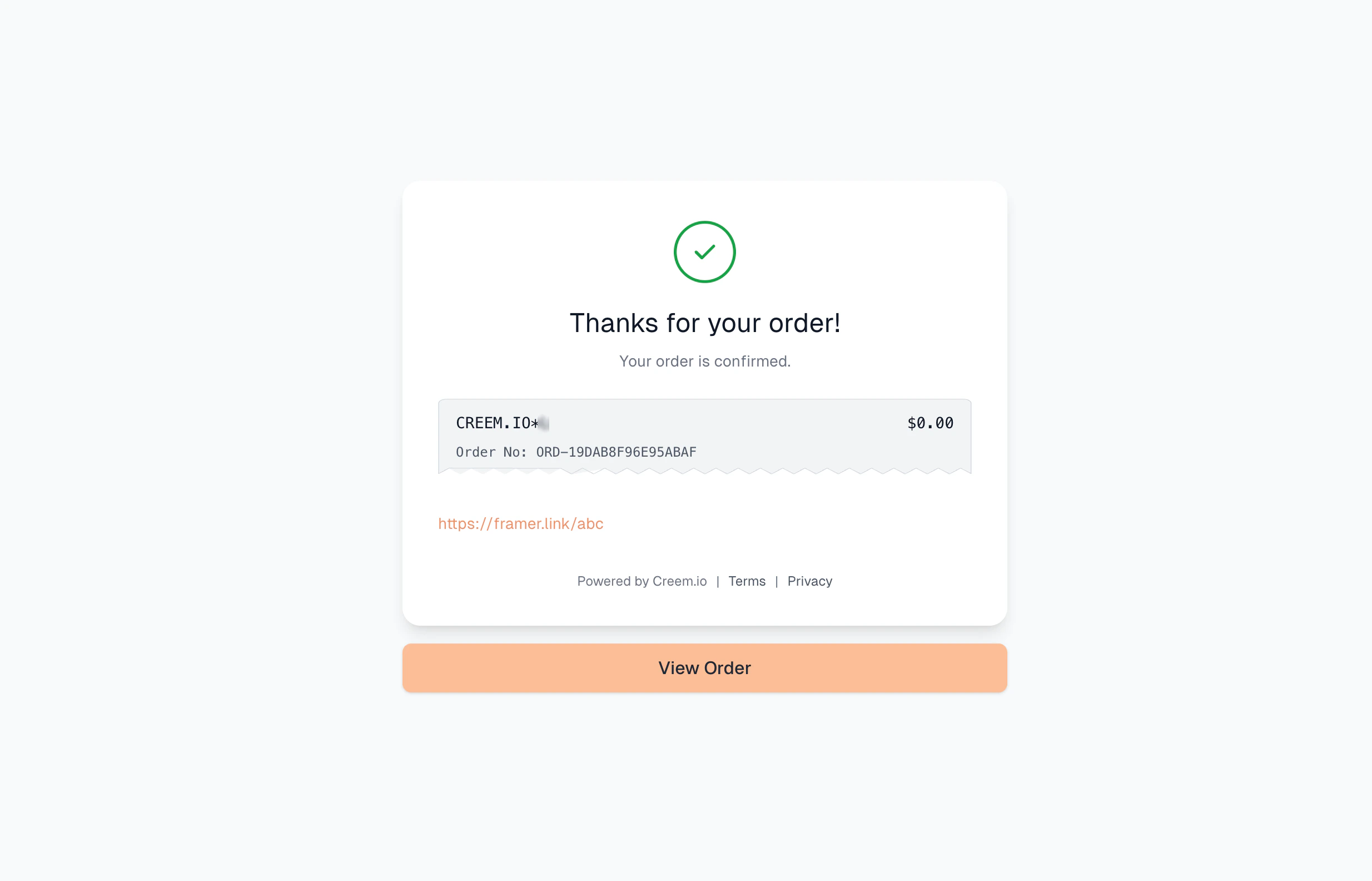
Email Receipt
The private note containing the remix link is included in the purchase confirmation email.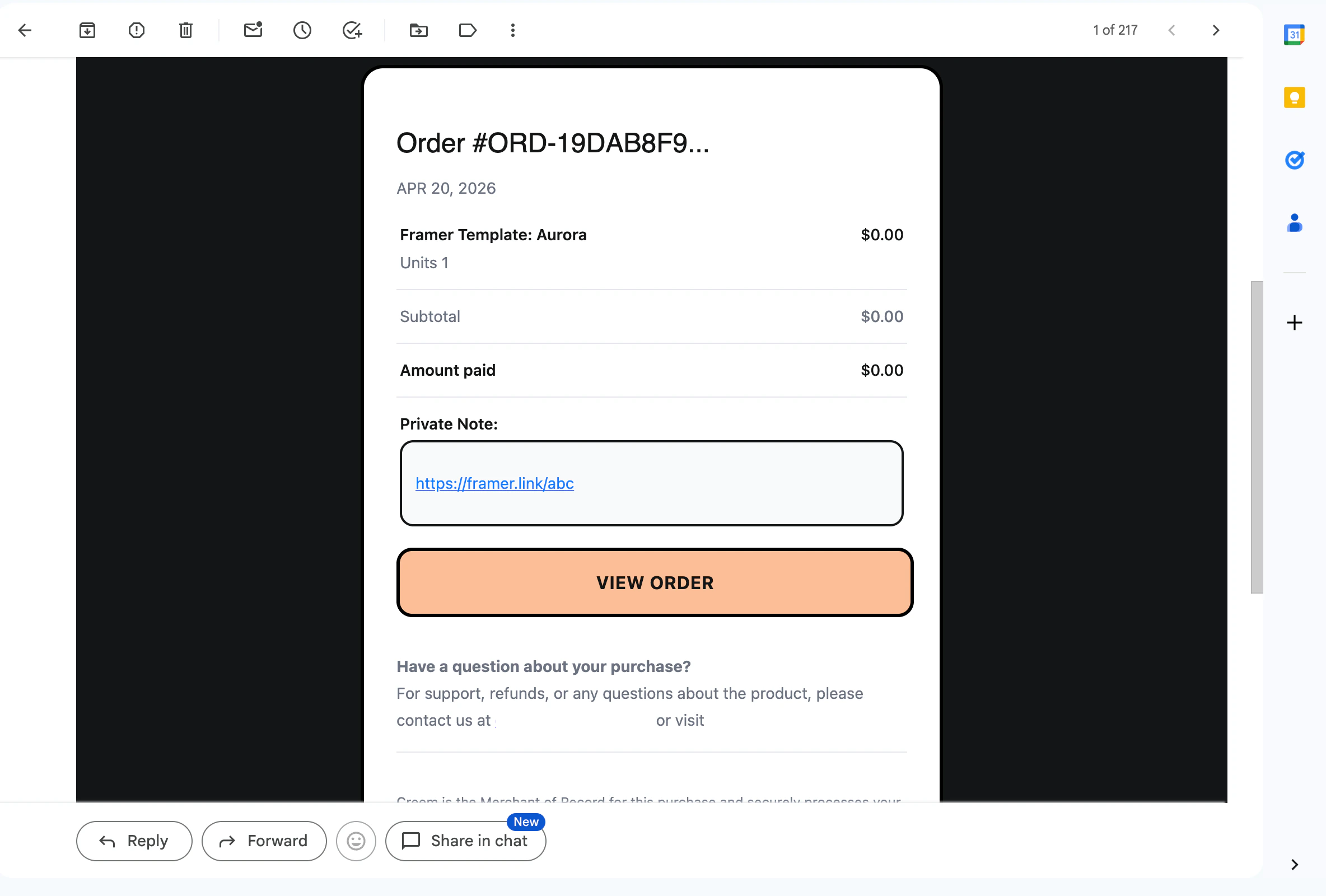
Customer Portal
Customers can access the note with the remix link at any time through their customer portal.