> ## Documentation Index
> Fetch the complete documentation index at: https://docs.creem.io/llms.txt
> Use this file to discover all available pages before exploring further.
# Affiliates
> Create affiliate programs while processing transactions through Creem.
 ## Overview
Welcome to the integration guide for Creem and Affonso! This partnership enables automated affiliate program management with seamless payment processing.
## Overview
Welcome to the integration guide for Creem and Affonso! This partnership enables automated affiliate program management with seamless payment processing.
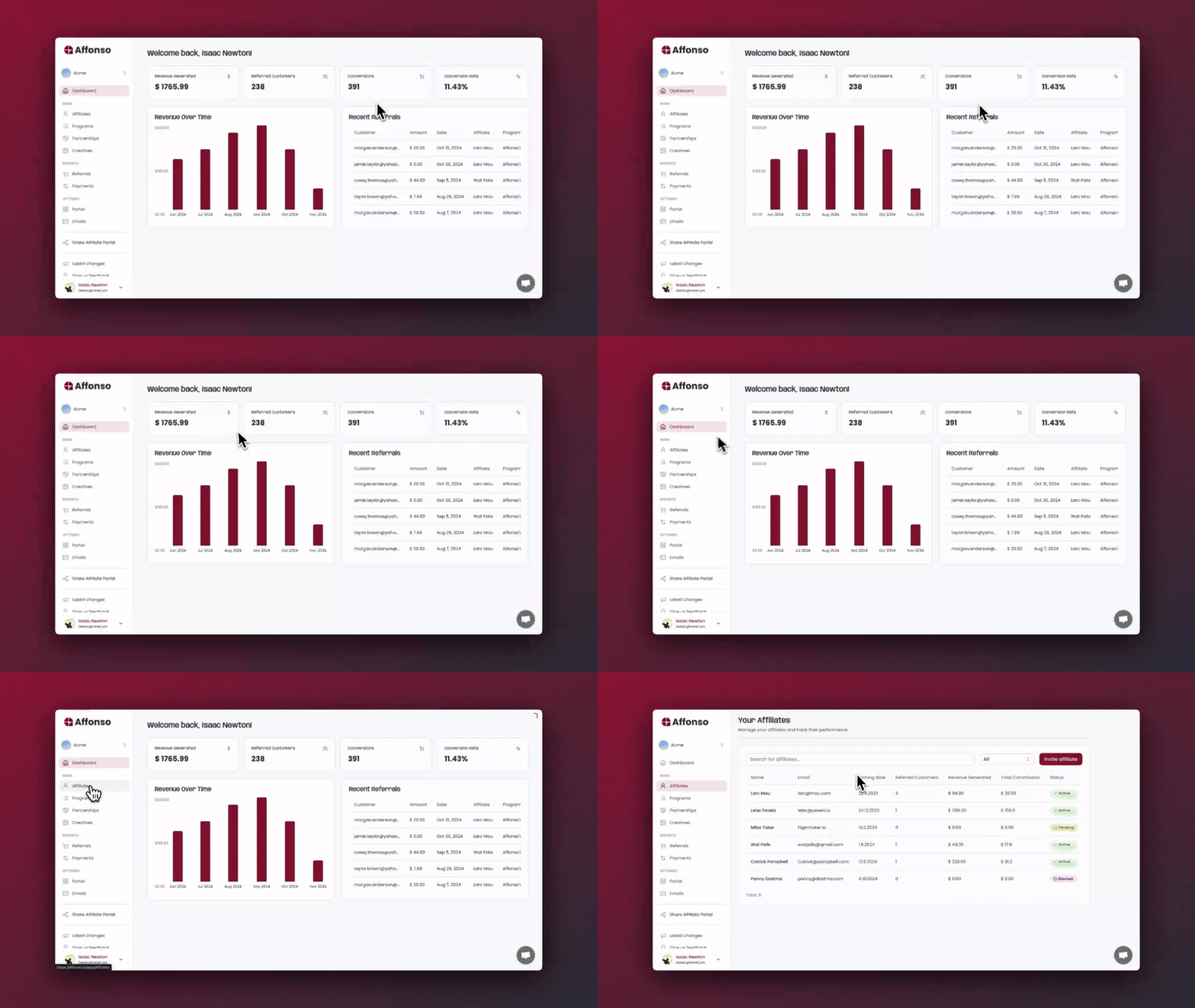 This integration allows you to leverage Affonso's affiliate tracking and management alongside Creem's robust payment processing. Your affiliates can be automatically tracked, and their commissions paid separately from your business financials.
How to integrate Affonso's affiliate management capabilities with Creem's payment processing to automate your affiliate program and scale your business.
* A Creem account
* An Affonso account
* Your Creem API keys
## Integration Steps
The below animation shows all the necessary steps to integrate your Creem account with Affonso in less than 2 minutes.
This integration allows you to leverage Affonso's affiliate tracking and management alongside Creem's robust payment processing. Your affiliates can be automatically tracked, and their commissions paid separately from your business financials.
How to integrate Affonso's affiliate management capabilities with Creem's payment processing to automate your affiliate program and scale your business.
* A Creem account
* An Affonso account
* Your Creem API keys
## Integration Steps
The below animation shows all the necessary steps to integrate your Creem account with Affonso in less than 2 minutes.
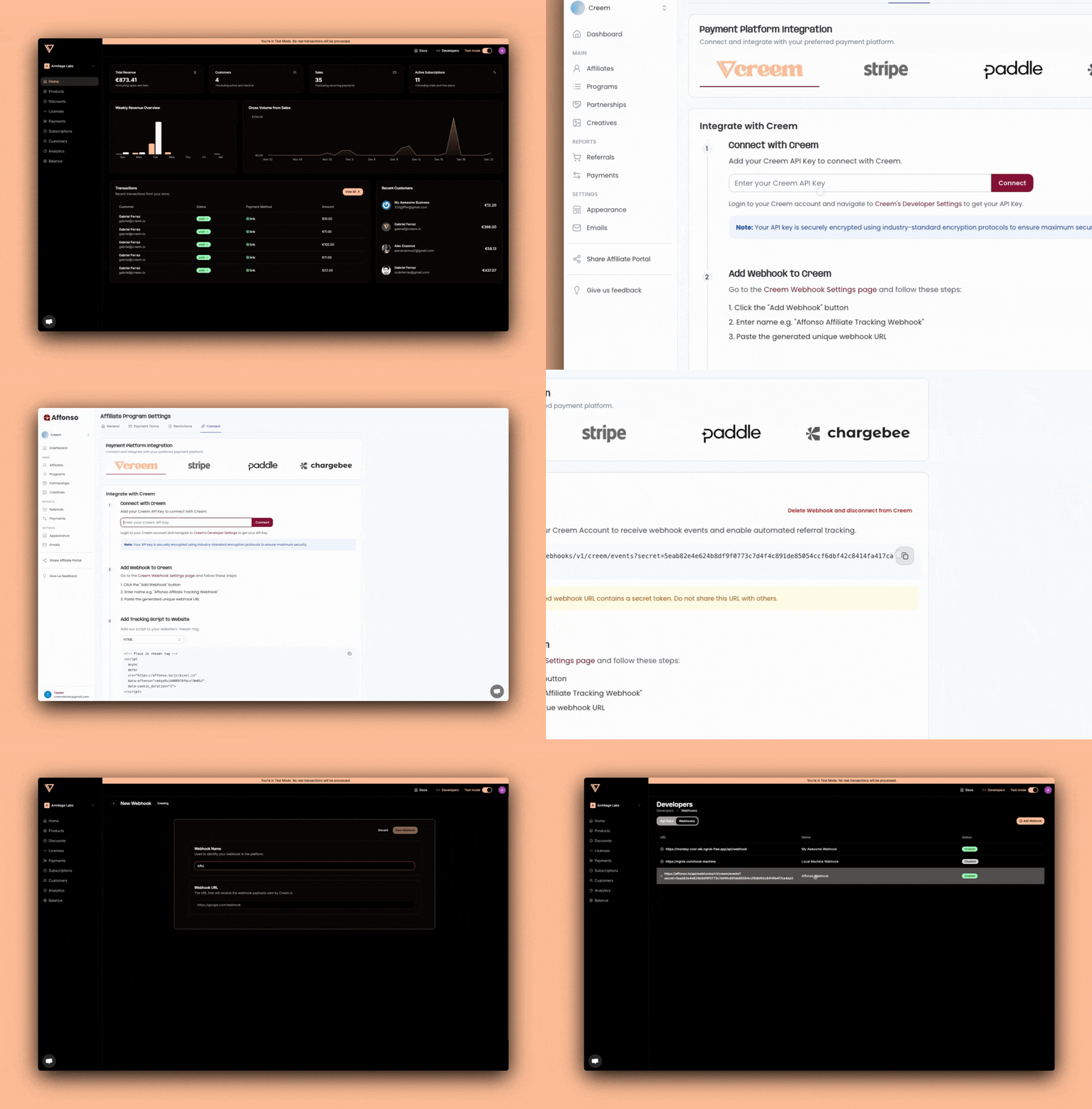 ### 1. Installing the Creem plugin
Navigate to your Affonso dashboard and create a new Affiliate Program.
After creating a new Affiliate Program:
* Open the created affiliate program
* Click the "Connect" tab
* Click on the "Creem" tab
You'll need to add your Creem API keys to establish the connection:
* Within Creem dashboard, click on the "Developers" tab
* Get your API keys from Creem's Developer Settings
* Copy the API keys into Affonso dashboard
* Click the connect button.
* Copy the Webhook URL displayed
### 2. Creating a Webhook to track affiliates
Within Creem dashboard, click on the "Developers" tab
* On the "Developers" tab, click the "Webhooks" tab
* Click the "Add Webhook" button
* Name it appropriately (e.g. "Affonso Webhook", "Affiliates Webhook")
* Paste the Webhook URL generated from step 1.2
### 3. Add Affonso tracking capabilities into your product.
```html theme={null}
```
This script is essential for Affonso to function. When a user visits your website through an affiliate link, it automatically creates a referral with the status "Visited link" and stores a referral cookie on their device.
The script creates a global window\.Affonso object that you'll use in the next step to track successful signups.
```html theme={null}
// After successful registration
window.Affonso.signup(userEmail);
```
When this function is called, Affonso system will:
Create a new referral with status "LEAD" if a valid referral ID cookie exists
Make the referral visible in both your and your affiliate's statistics
Note: If your platform allows payments without user registration (e.g., direct checkout), you can skip this step and proceed to the next one for payment tracking.
Best Practice: Call this function for all signups, regardless of the traffic source. The system will only create referrals when a valid referral ID cookie is present. Place the code:
After successful registration for immediate tracking
After email verification if you use double opt-in (DOI)
For more advanced tracking documentation, or further examples in several
languages, visit [Affonso](https://affonso.io) documentation.
## Best Practices
* Always test the integration in a development environment first
* Implement proper error handling for affiliate tracking
* Monitor webhook deliveries and set up retry mechanisms
* Regularly verify commission calculations
### 1. Installing the Creem plugin
Navigate to your Affonso dashboard and create a new Affiliate Program.
After creating a new Affiliate Program:
* Open the created affiliate program
* Click the "Connect" tab
* Click on the "Creem" tab
You'll need to add your Creem API keys to establish the connection:
* Within Creem dashboard, click on the "Developers" tab
* Get your API keys from Creem's Developer Settings
* Copy the API keys into Affonso dashboard
* Click the connect button.
* Copy the Webhook URL displayed
### 2. Creating a Webhook to track affiliates
Within Creem dashboard, click on the "Developers" tab
* On the "Developers" tab, click the "Webhooks" tab
* Click the "Add Webhook" button
* Name it appropriately (e.g. "Affonso Webhook", "Affiliates Webhook")
* Paste the Webhook URL generated from step 1.2
### 3. Add Affonso tracking capabilities into your product.
```html theme={null}
```
This script is essential for Affonso to function. When a user visits your website through an affiliate link, it automatically creates a referral with the status "Visited link" and stores a referral cookie on their device.
The script creates a global window\.Affonso object that you'll use in the next step to track successful signups.
```html theme={null}
// After successful registration
window.Affonso.signup(userEmail);
```
When this function is called, Affonso system will:
Create a new referral with status "LEAD" if a valid referral ID cookie exists
Make the referral visible in both your and your affiliate's statistics
Note: If your platform allows payments without user registration (e.g., direct checkout), you can skip this step and proceed to the next one for payment tracking.
Best Practice: Call this function for all signups, regardless of the traffic source. The system will only create referrals when a valid referral ID cookie is present. Place the code:
After successful registration for immediate tracking
After email verification if you use double opt-in (DOI)
For more advanced tracking documentation, or further examples in several
languages, visit [Affonso](https://affonso.io) documentation.
## Best Practices
* Always test the integration in a development environment first
* Implement proper error handling for affiliate tracking
* Monitor webhook deliveries and set up retry mechanisms
* Regularly verify commission calculations