> ## Documentation Index
> Fetch the complete documentation index at: https://docs.creem.io/llms.txt
> Use this file to discover all available pages before exploring further.
# Sell Framer Templates with Instant Remix Links
> Sell Framer templates with Creem and automatically share a private Remix link right after payment
This guide shows you how to sell a Framer template with Creem so buyers get **instant access** to the **remix link** as soon as payment completes.
You’ll set up:
* A product for your template
* A **Private Note** that contains your [remix link](https://www.framer.com/help/articles/how-to-create-a-remix-link/) (Markdown supported)
* A checkout flow (no-code payment link or API integration)
* Automatic delivery in the post-purchase screen, email receipt, and customer portal
## What buyers experience
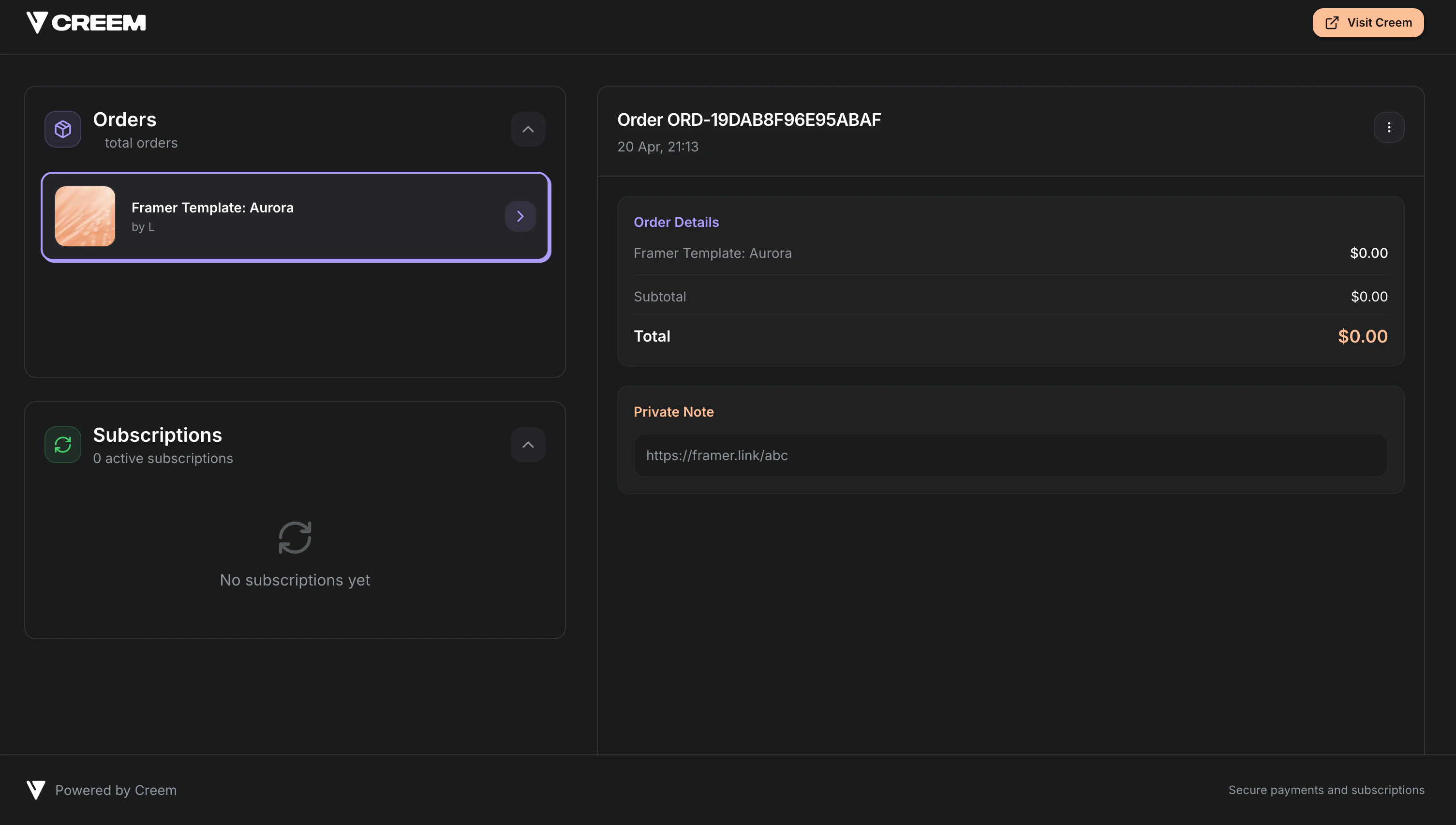
After a successful payment, the buyer sees your private note content immediately:
* **Post-purchase confirmation screen** (when you don’t redirect away immediately)
* **Purchase confirmation email**
* **Customer portal** (so they can find it again later)
## Set up automated delivery with Private Notes
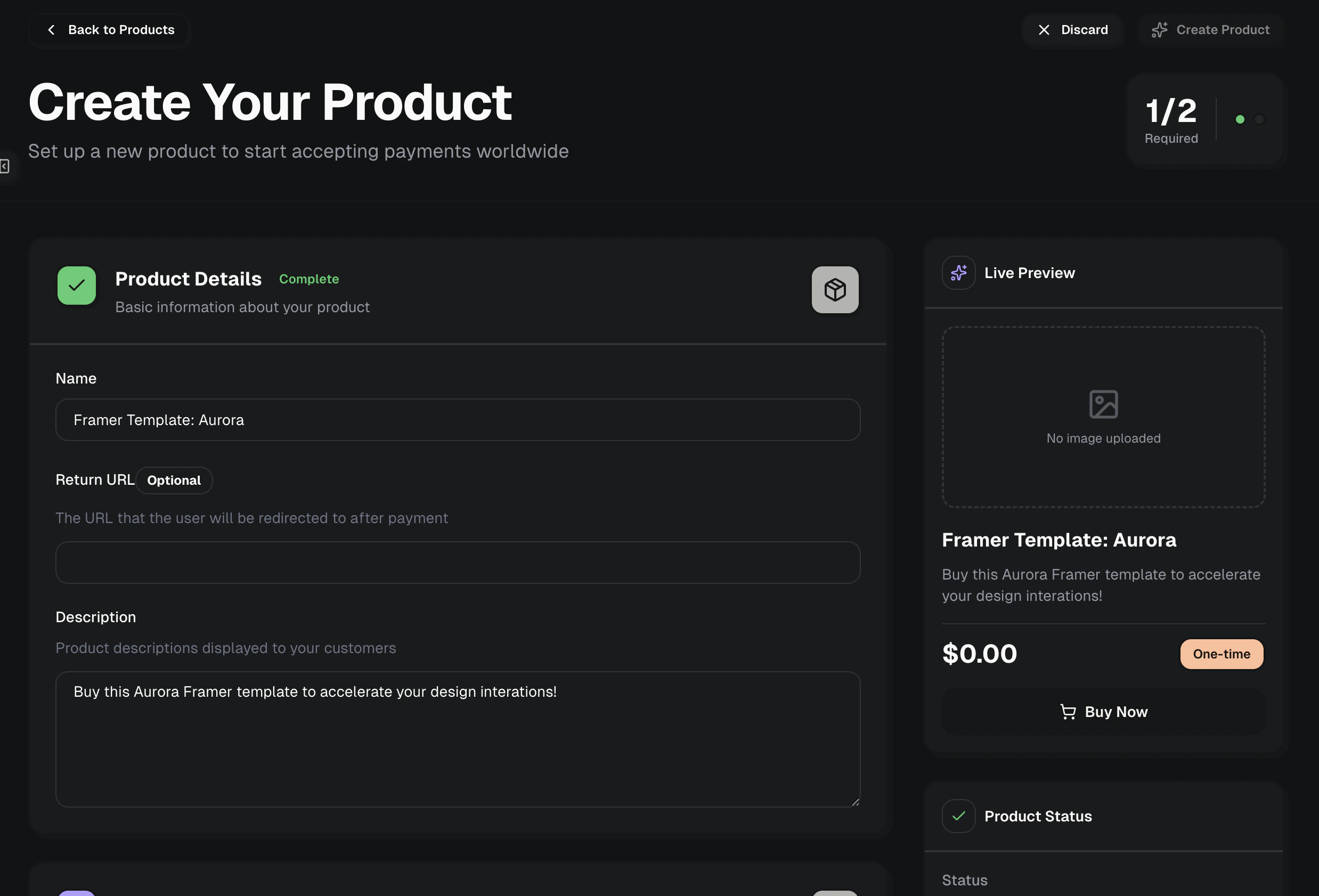
Go to the [Products tab](https://creem.io/dashboard/products) and create a new product.
Use a clear name like “Framer Template: Aurora” and a description that matches what the buyer gets.
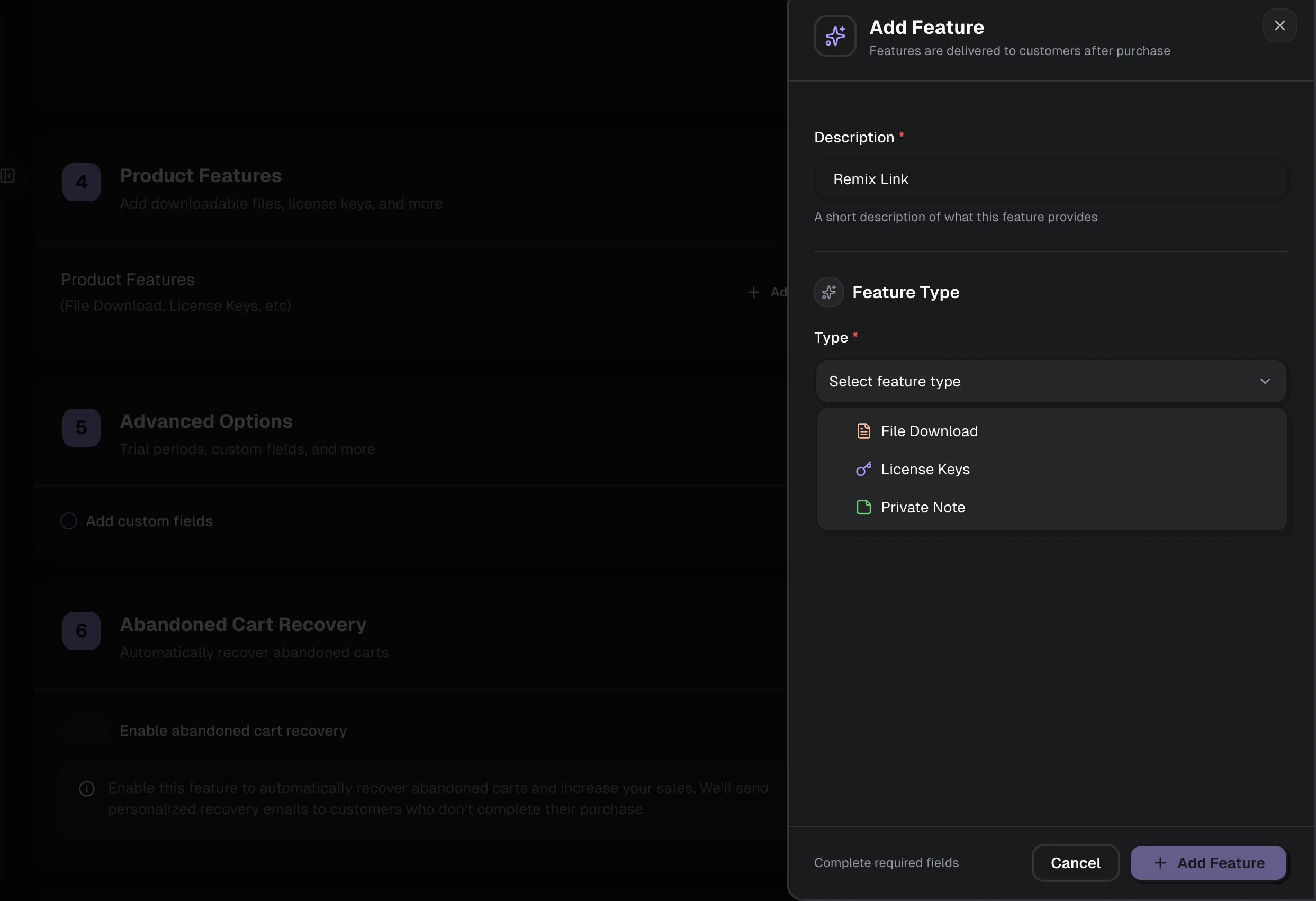
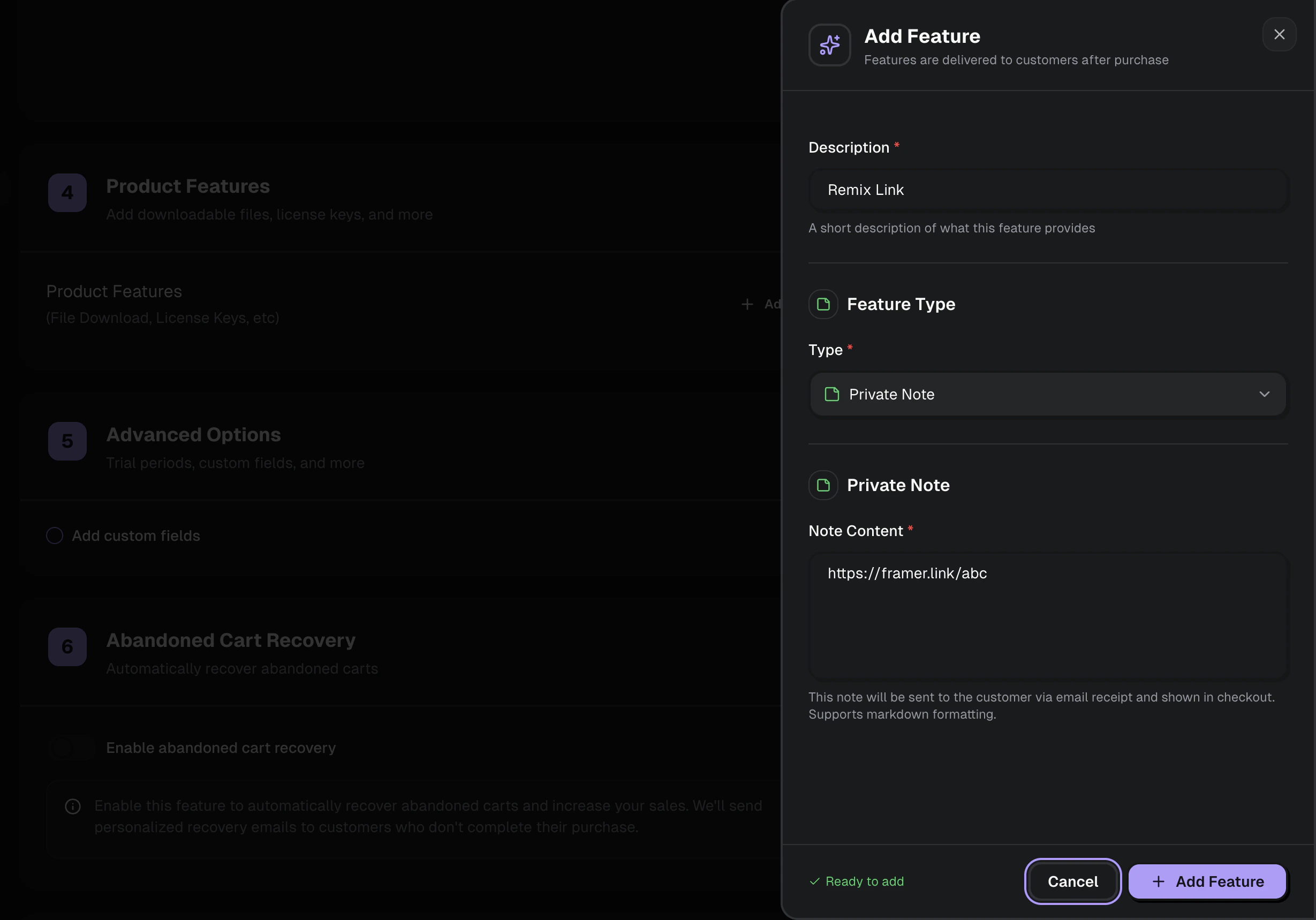
 In the product settings under "Product Features", add a feature called [Private Notes](/features/addons/private-notes) and paste a note that includes your Remix link.
 Private Notes support Markdown, so you can include a button-style link, a list of steps, and any access instructions.
Example:
```md theme={null}
## Your template is ready
Click to remix the template:
- **Remix link**: https://framer.link/xyz
Next steps:
1. Open the project
2. Click **Remix**
3. Publish under your workspace
```
Private Notes support Markdown, so you can include a button-style link, a list of steps, and any access instructions.
Example:
```md theme={null}
## Your template is ready
Click to remix the template:
- **Remix link**: https://framer.link/xyz
Next steps:
1. Open the project
2. Click **Remix**
3. Publish under your workspace
```
 Keep the [remix link](https://www.framer.com/help/articles/how-to-create-a-remix-link/) in the Private Note so it’s only revealed after payment.
## Create a checkout (no-code or API)
You can sell the template with either a shareable checkout link or a checkout session you create on demand.
Copy a payment link from the product and share it anywhere.
Create a checkout session via API/SDK for dynamic flows.
### Option A: Share the product payment link (no code)
After creating your product, click **Share** in the dashboard and use the payment link on:
* Your landing page
* A “Buy now” button
* A newsletter or social post
### Option B: Create a checkout session (API)
If you want to attach internal tracking (template slug, campaign, user ID), create a checkout session and redirect the buyer to it.
```typescript theme={null}
const checkout = await creem.checkouts.create({
productId: 'prod_YOUR_TEMPLATE_PRODUCT_ID',
requestId: 'order_12345',
metadata: {
productType: 'framer_template',
templateSlug: 'aurora',
campaign: 'launch',
},
});
// Redirect the user to checkout.url (depending on your framework)
```
If you already know the buyer’s email (for example, they’re logged in),
pre-fill it to reduce checkout friction.
```typescript theme={null}
const checkout = await creem.checkouts.create({
productId: 'prod_YOUR_TEMPLATE_PRODUCT_ID',
customer: { email: 'buyer@example.com' },
});
```
## Where the Remix Link Appears to Customers
After setup, the Framer remix link will be automatically delivered to customers in several places upon successful purchase:
### Order Confirmation Page
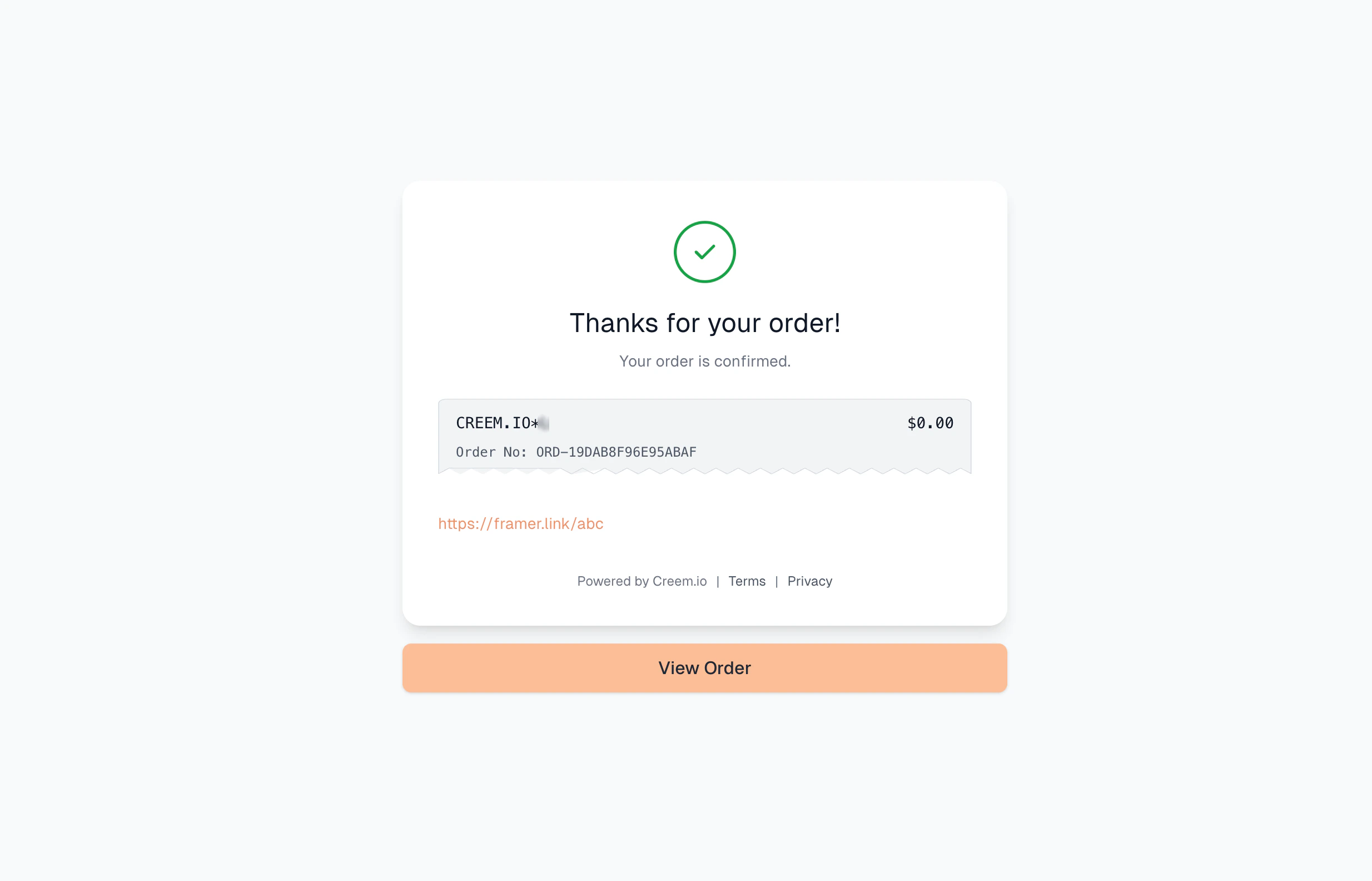
If no custom redirect URL is specified, the note is immediately displayed on the order success page after checkout.
Keep the [remix link](https://www.framer.com/help/articles/how-to-create-a-remix-link/) in the Private Note so it’s only revealed after payment.
## Create a checkout (no-code or API)
You can sell the template with either a shareable checkout link or a checkout session you create on demand.
Copy a payment link from the product and share it anywhere.
Create a checkout session via API/SDK for dynamic flows.
### Option A: Share the product payment link (no code)
After creating your product, click **Share** in the dashboard and use the payment link on:
* Your landing page
* A “Buy now” button
* A newsletter or social post
### Option B: Create a checkout session (API)
If you want to attach internal tracking (template slug, campaign, user ID), create a checkout session and redirect the buyer to it.
```typescript theme={null}
const checkout = await creem.checkouts.create({
productId: 'prod_YOUR_TEMPLATE_PRODUCT_ID',
requestId: 'order_12345',
metadata: {
productType: 'framer_template',
templateSlug: 'aurora',
campaign: 'launch',
},
});
// Redirect the user to checkout.url (depending on your framework)
```
If you already know the buyer’s email (for example, they’re logged in),
pre-fill it to reduce checkout friction.
```typescript theme={null}
const checkout = await creem.checkouts.create({
productId: 'prod_YOUR_TEMPLATE_PRODUCT_ID',
customer: { email: 'buyer@example.com' },
});
```
## Where the Remix Link Appears to Customers
After setup, the Framer remix link will be automatically delivered to customers in several places upon successful purchase:
### Order Confirmation Page
If no custom redirect URL is specified, the note is immediately displayed on the order success page after checkout.
 ### Email Receipt
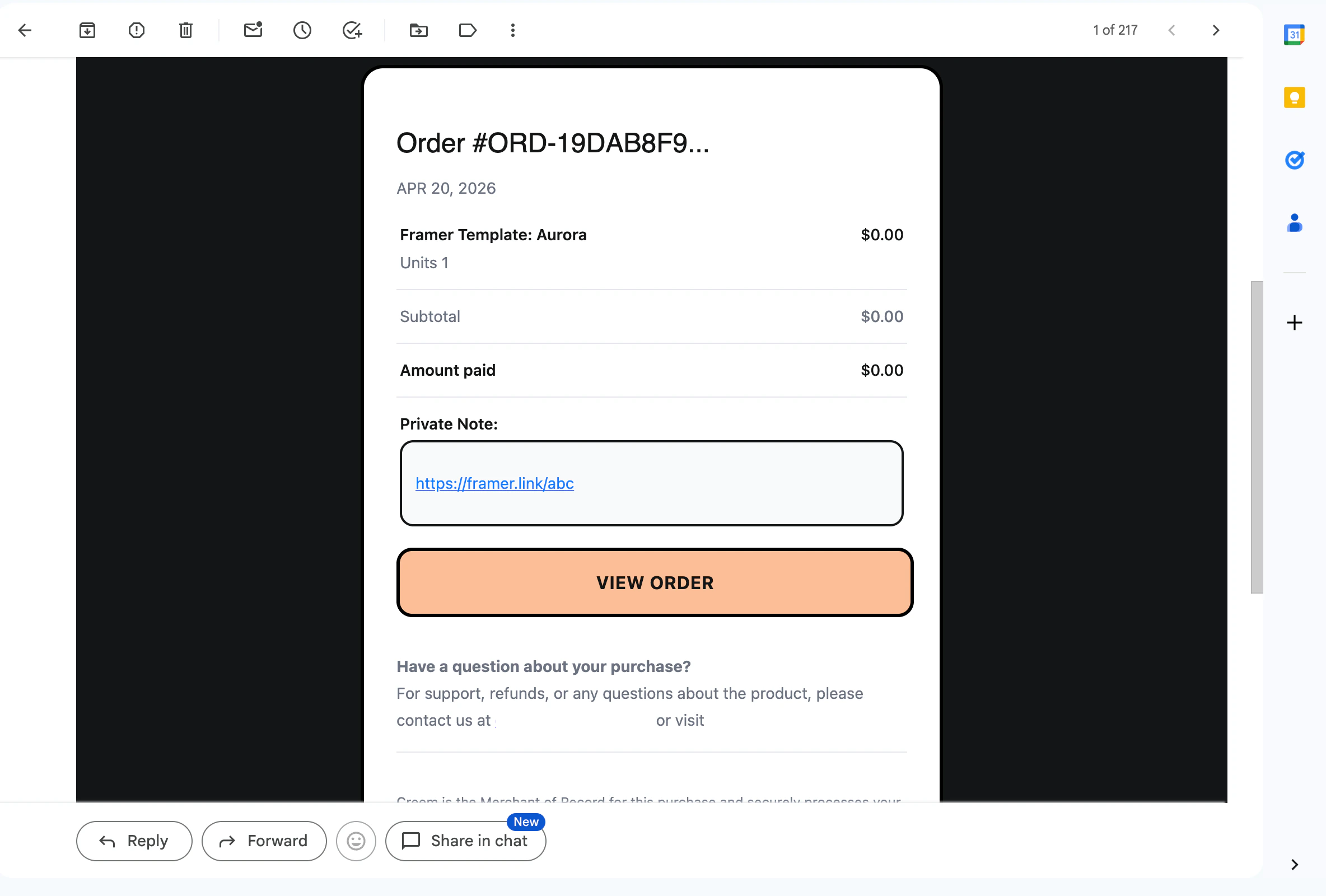
The private note containing the remix link is included in the purchase confirmation email.
### Email Receipt
The private note containing the remix link is included in the purchase confirmation email.
 ### Customer Portal
Customers can access the note with the remix link at any time through their customer portal.
### Customer Portal
Customers can access the note with the remix link at any time through their customer portal.