> ## Documentation Index
> Fetch the complete documentation index at: https://docs.creem.io/llms.txt
> Use this file to discover all available pages before exploring further.

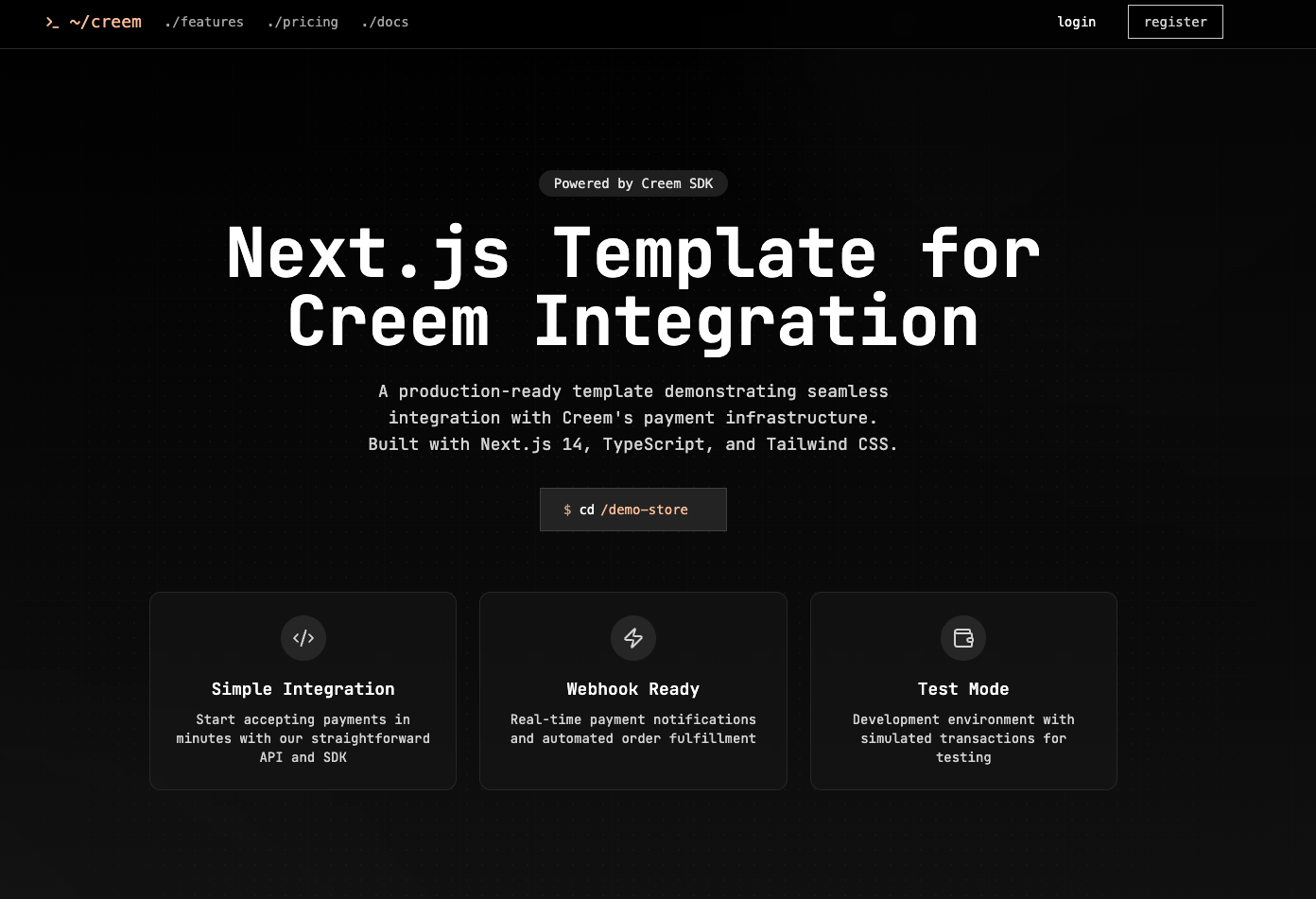
# Creem Next.js Template

> A modern Next.js App Router template for integrating Creem subscriptions and payments with Prisma, Shadcn UI, Radix UI, and Tailwind.

<Frame>
  <img
    style={{
  borderRadius: '0.75rem',
  width: '100%',
  maxHeight: '320px',
  objectFit: 'cover',
}}
    src="https://nucn5fajkcc6sgrd.public.blob.vercel-storage.com/Screenshot%202025-05-02%20at%2018.43.31-Hli0OxqgtUupGAtzV8juwNU8qKfauI.png"
    alt="Creem Next.js Template Hero"
  />
</Frame>

<Tip>
  The Creem Next.js Template is open source and available on{' '}

  <a href="https://github.com/armitage-labs/creem-template" target="_blank">
    GitHub
  </a>

  . Use it for examples on how to integrate Creem with your Next.js App Router.
</Tip>

## Overview

<CardGroup cols={2}>
  <Card title="Modern Stack" icon="rocket">
    Next.js App Router, Prisma ORM, Shadcn UI, Radix UI, and Tailwind CSS.
  </Card>

  <Card title="Creem Integration" icon="credit-card">
    End-to-end subscription and payment flows powered by the Creem SDK.
  </Card>
</CardGroup>

<Accordion title="What you can do with it">
  How to use the Creem Next.js Template to: - Fetch and display products from
  your Creem account - Create checkout sessions for products - Fulfill orders
  and manage subscriptions - Handle webhooks and customer portal links
</Accordion>

***

## Quickstart

<Card title="1. Clone the repository" icon="github">
  ```bash theme={null}
  git clone https://github.com/armitage-labs/creem-template.git
  cd creem-template
  ```
</Card>

<Card title="2. Install dependencies" icon="box-archive">
  <CodeGroup>
    ```bash yarn theme={null}
    yarn install
    ```

    ```bash npm theme={null}
    npm install
    ```

    ```bash pnpm theme={null}
    pnpm install
    ```

    ```bash bun theme={null}
    bun install
    ```
  </CodeGroup>
</Card>

<Card title="3. Set up environment variables" icon="gear">
  ```bash theme={null}
  cp .env.example .env
  # Edit .env and fill in the required variables
  ```
</Card>

<Card title="4. Run database migrations" icon="database">
  ```bash theme={null}
  yarn prisma migrate dev
  ```
</Card>

<Card title="5. Start the development server" icon="bolt">
  ```bash theme={null}
  yarn dev
  ```
</Card>

<Card title="6. Expose your app for webhooks (optional)" icon="globe">
  To receive webhooks from Creem, use a reverse proxy like{' '}

  <a href="https://ngrok.com/" target="_blank">
    NGROK
  </a>

  .
</Card>

***

## Screenshots

<div className="space-y-16">
  <div className="flex flex-col md:flex-row items-center gap-8 md:gap-16">
    <img src="https://nucn5fajkcc6sgrd.public.blob.vercel-storage.com/Screenshot%202025-05-02%20at%2018.43.48-yr5LHWkWEaq1fWsSUWAMXbe9OKqgo8.png" alt="Product Catalog Screenshot" class="rounded-xl shadow-2xl w-full md:w-3/4 md:max-w-2xl border border-gray-200 dark:border-gray-800" loading="lazy" width="900" height="500" />

    <div className="md:w-1/2">
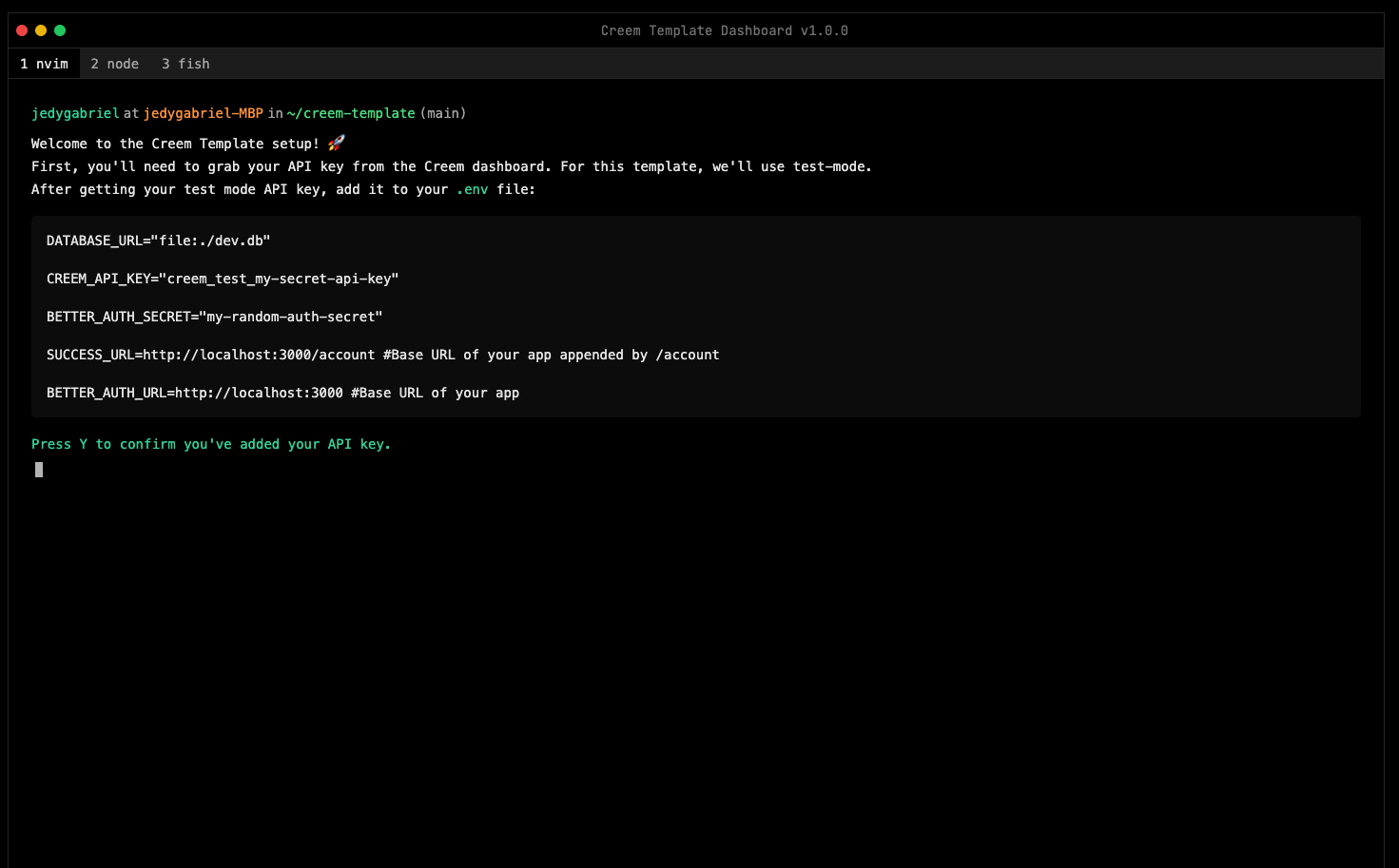
      <h4 className="text-xl font-semibold mb-3">Interactive onboarding</h4>

      <p className="text-gray-600 dark:text-gray-300 text-lg">
        The template includes a step-by-step tutorial to help you get started
        and your account ready.
      </p>
    </div>
  </div>

  <div className="flex flex-col md:flex-row items-center gap-8 md:gap-16">
    <img src="https://nucn5fajkcc6sgrd.public.blob.vercel-storage.com/Screenshot%202025-05-02%20at%2018.44.21-TKkVtUa8zr5AKIomBa5tyU1eFR9cUz.png" alt="Checkout Session Screenshot" class="rounded-xl shadow-2xl w-full md:w-3/4 md:max-w-2xl border border-gray-200 dark:border-gray-800" loading="lazy" width="900" height="500" />

    <div className="md:w-1/2">
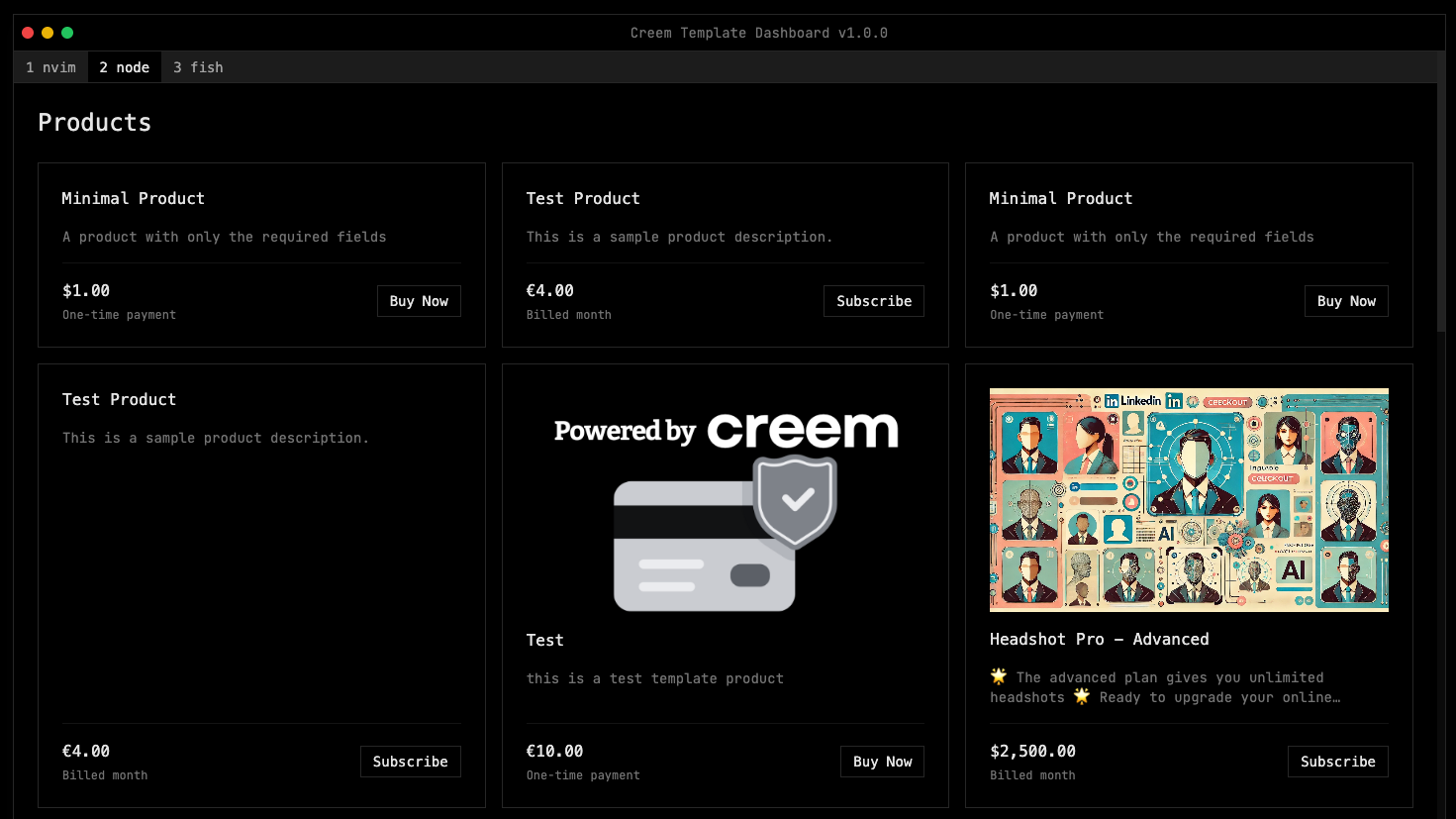
      <h4 className="text-xl font-semibold mb-3">Product Catalog</h4>

      <p className="text-gray-600 dark:text-gray-300 text-lg">
        Allows you to test your products in a easy way, without having to
        manually set product IDs
      </p>
    </div>
  </div>

  <div className="flex flex-col md:flex-row items-center gap-8 md:gap-16">
    <img src="https://nucn5fajkcc6sgrd.public.blob.vercel-storage.com/Screenshot%202025-05-02%20at%2018.44.26-CH2Mk61LZB9nz8pdibTFrUHrvrCMcx.png" alt="Customer Portal Screenshot" class="rounded-xl shadow-2xl w-full md:w-3/4 md:max-w-2xl border border-gray-200 dark:border-gray-800" loading="lazy" width="900" height="500" />

    <div className="md:w-1/2">
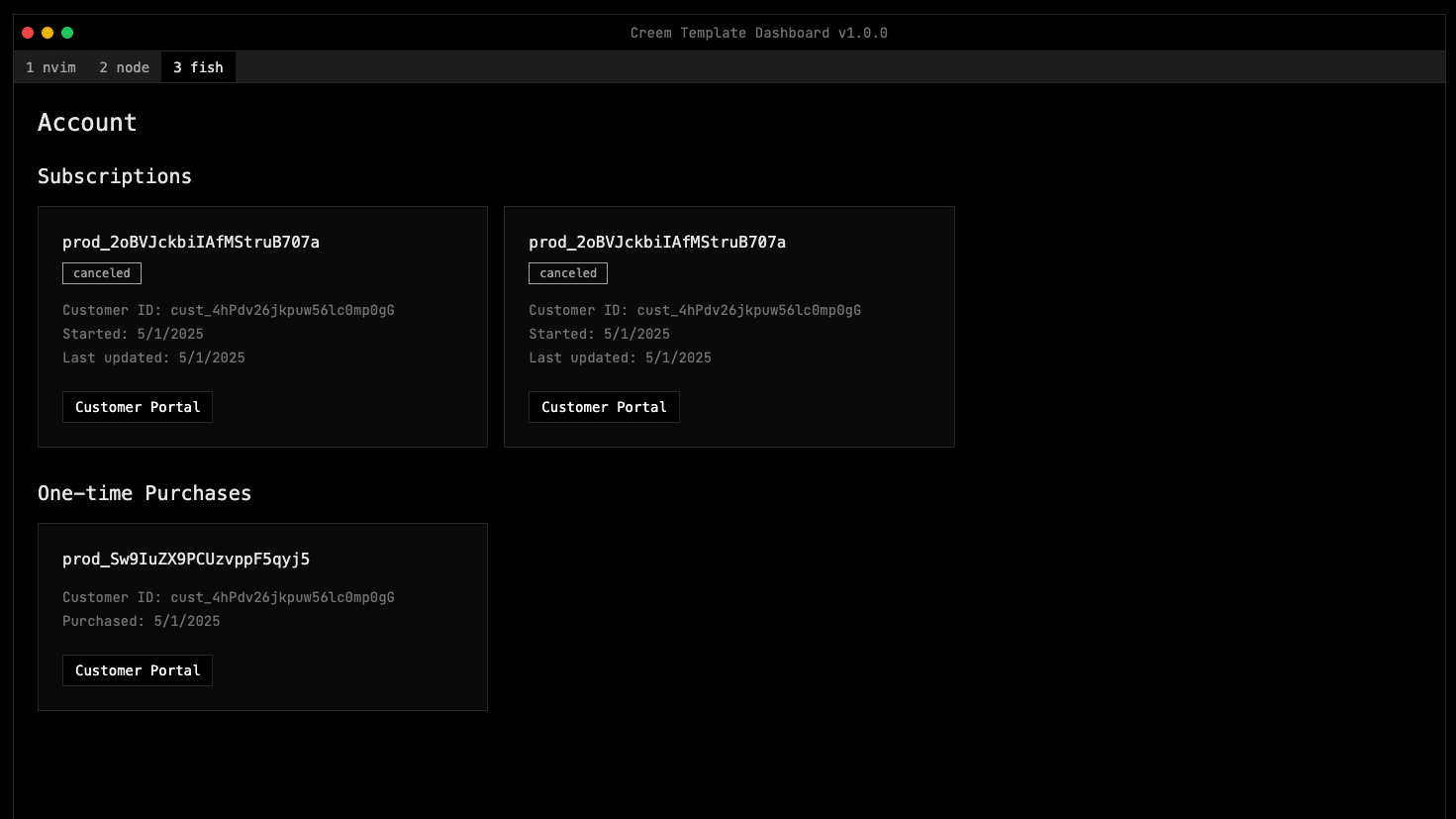
      <h4 className="text-xl font-semibold mb-3">Account Management</h4>

      <p className="text-gray-600 dark:text-gray-300 text-lg">
        Includes an account management page, to manage subscriptions, billing
        and customer portal links.
      </p>
    </div>
  </div>
</div>

***

## Features

<CardGroup cols={2}>
  <Card title="Product Catalog" icon="list">
    Fetch and display all products in your Creem account.
  </Card>

  <Card title="Checkout Sessions" icon="credit-card">
    Create checkout sessions for any product.
  </Card>

  <Card title="Subscription Management" icon="repeat">
    Handle creation, cancellation, and expiration of subscriptions.
  </Card>

  <Card title="Customer Portal" icon="user">
    Generate portal links for clients with active subscriptions.
  </Card>

  <Card title="Webhooks" icon="bell">
    Fulfill orders and update your app using Creem webhooks.
  </Card>

  <Card title="Auth" icon="lock">
    Minimal auth setup with BetterAuth.
  </Card>
</CardGroup>

***

## Technology Stack

<CardGroup cols={3}>
  <Card title="Next.js" icon="code">
    App Router, SSR, and React Server Components.
  </Card>

  <Card title="Prisma" icon="database">
    Type-safe ORM for database access (SQLite by default).
  </Card>

  <Card title="Creem SDK" icon="credit-card">
    Subscription and payment integration.
  </Card>

  <Card title="Shadcn UI" icon="palette">
    Accessible, beautiful React components.
  </Card>

  <Card title="Radix UI" icon="book">
    Low-level UI primitives for React.
  </Card>

  <Card title="Tailwind CSS" icon="paintbrush">
    Utility-first CSS for rapid UI development.
  </Card>
</CardGroup>

***

## Resources

<CardGroup>
  <Card title="GitHub Repository" icon="github" href="https://github.com/armitage-labs/creem-template">
    View the source code, open issues, or contribute.
  </Card>

  <Card title="Creem SDK Docs" icon="book" href="/code/sdks/typescript-core">
    Learn more about the Creem TypeScript SDK.
  </Card>

  <Card title="Next.js Documentation" icon="code" href="https://nextjs.org/docs">
    Official Next.js docs for routing, SSR, and more.
  </Card>

  <Card title="Prisma Documentation" icon="database" href="https://www.prisma.io/docs">
    ORM docs and guides.
  </Card>
</CardGroup>

***

<Tip>
  For feedback, feature requests, or to contribute, open an issue or pull
  request on the{' '}

  <a href="https://github.com/armitage-labs/creem-template" target="_blank">
    GitHub repository
  </a>

  .
</Tip>
