> ## Documentation Index
> Fetch the complete documentation index at: https://docs.creem.io/llms.txt
> Use this file to discover all available pages before exploring further.
# Quickstart
> Set up Creem billing in your Convex app: backend sync, webhook, and a working subscription pricing page.
`@creem_io/convex` connects your Convex backend to Creem. Webhooks keep billing state synced into your Convex database. Pre-built React and Svelte widgets handle checkout, plan switching, and cancellation.
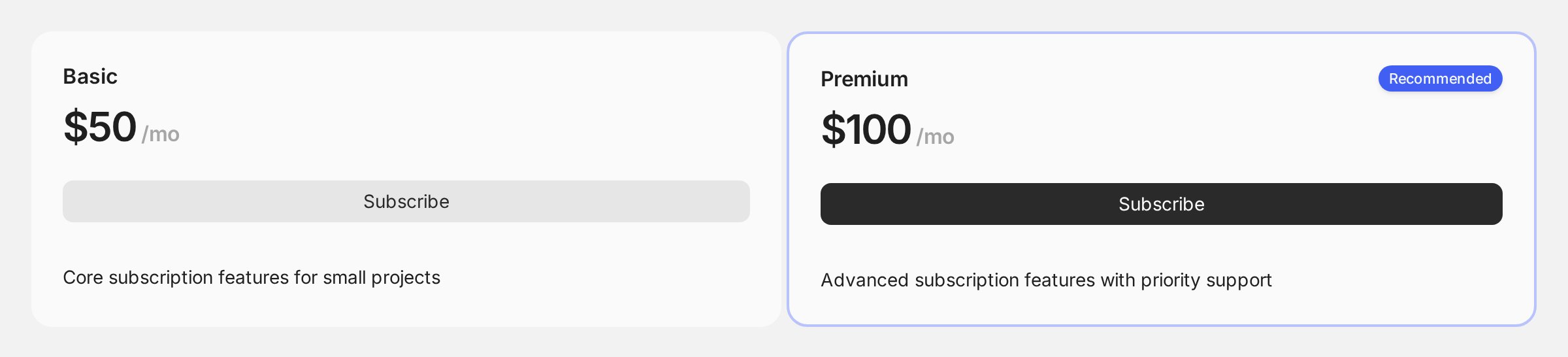
This page gets you to a working two-plan pricing page.
**Before you start**, you need an existing [Convex](https://docs.convex.dev/quickstarts) project with `npx convex dev` running, and [auth configured](https://docs.convex.dev/auth) so `ctx.auth.getUserIdentity()` returns your signed-in user. Without auth, the pricing page renders - but only in its public, logged-out state, and checkout stays unavailable.
**Integrating with an AI agent, or migrating from another billing provider?** Point it at the
[Integration Guide](/code/sdks/convex/integration). That page holds the whole setup sequence in
order, with validation steps. Agents can fetch it as raw markdown:
```text theme={null}
https://docs.creem.io/code/sdks/convex/integration.md
```
## Backend
```bash theme={null}
npm install @creem_io/convex convex creem
```
```ts title="convex/convex.config.ts" theme={null}
import { defineApp } from "convex/server";
import creem from "@creem_io/convex/convex.config";
const app = defineApp();
app.use(creem);
export default app;
```
```bash theme={null}
npx convex env set CREEM_API_KEY
npx convex env set CREEM_WEBHOOK_SECRET
npx convex env set CREEM_SERVER test
```
Both keys live in the [Developers section](https://creem.io/dashboard/developers) of your dashboard. Toggle [Test Mode](/getting-started/test-mode#activating-test-mode) to get test keys. Set `CREEM_SERVER=prod` (or omit it) when you go live.
The `resolve` callback maps your authenticated session to a billing entity. Replace it with your real auth logic:
```ts title="convex/billing.ts" theme={null}
import { Creem, type ApiResolver } from "@creem_io/convex";
import { components } from "./_generated/api";
import { internalAction } from "./_generated/server";
export const creem = new Creem(components.creem);
// Return `null` for an unauthenticated caller. That is what keeps public
// pricing pages working. Anything thrown here counts as a real failure.
const resolve: ApiResolver = async (ctx) => {
const identity = await ctx.auth.getUserIdentity();
if (!identity) return null;
return {
userId: identity.subject,
email: identity.email!,
entityId: identity.subject, // for org billing, return the org ID
};
};
const { uiModel, checkouts, subscriptions, customers } = creem.api({ resolve });
export { uiModel };
export const checkoutsCreate = checkouts.create;
export const subscriptionsUpdate = subscriptions.update;
export const subscriptionsCancel = subscriptions.cancel;
export const subscriptionsResume = subscriptions.resume;
export const customersPortalUrl = customers.portalUrl;
export const syncBillingProducts = internalAction({
args: {},
handler: async (ctx) => {
await creem.syncProducts(ctx);
},
});
```
Keep these export names. `connectCreemApi` on the frontend maps them onto the widget API for you.
```ts title="convex/http.ts" theme={null}
import { httpRouter } from "convex/server";
import { creem } from "./billing";
const http = httpRouter();
creem.registerRoutes(http);
export default http;
```
In your Creem dashboard, set the webhook endpoint to your **Convex site URL** plus `/creem/events`:
```text theme={null}
https://.convex.site/creem/events
```
This quickstart renders a Basic and a Premium plan, so create one Creem product
for each.
[Install the CLI](/ai/for-humans/cli), then sign in with the same test key you
set in step 3:
```bash theme={null}
creem login --api-key creem_test_YOUR_KEY
creem products create \
--name "Basic" \
--description "For small teams" \
--price 1900 \
--currency USD \
--billing-type recurring \
--billing-period every-month
creem products create \
--name "Premium" \
--description "For growing teams" \
--price 4900 \
--currency USD \
--billing-type recurring \
--billing-period every-month
```
Each command prints the new `prod_...` ID. `creem products list` shows them again later.
Create two recurring products in the [Products section](https://creem.io/dashboard/products)
of your dashboard, then copy each product ID from its detail page.
Put both IDs in your frontend env file. They are public values that the browser
needs in order to start checkout:
```bash title=".env.local" theme={null}
VITE_CREEM_SUB_BASIC_MONTHLY=prod_...
VITE_CREEM_SUB_PREMIUM_MONTHLY=prod_...
```
Use whichever public prefix your framework expects: `VITE_*` for Vite, `NEXT_PUBLIC_*` for
Next.js, `PUBLIC_*` for SvelteKit. Your Creem API key is not a public value and stays in Convex
env, as set above.
Pull the product metadata (names, prices, descriptions) into Convex so the
widgets can render it:
```bash theme={null}
npx convex run billing:syncBillingProducts
```
Billing state now syncs into Convex automatically. The backend is done.
## Frontend
The widgets are built on [Ark UI](https://ark-ui.com) headless primitives. Add the adapter for your framework to your existing app:
```bash theme={null}
npm install @ark-ui/react
```
```bash theme={null}
npm install convex-svelte @ark-ui/svelte
```
The widgets require **Tailwind CSS v4**. If your project doesn't have it yet, follow the [Tailwind framework guide](https://tailwindcss.com/docs/installation/framework-guides). The steps differ per framework.
Then add the component styles to your CSS entry point, after the Tailwind import:
```css theme={null}
@import "tailwindcss";
@import "@creem_io/convex/styles";
```
Map stable plan IDs to your Creem product IDs:
```ts title="src/billingCatalog.ts" theme={null}
import { defineBillingCatalog } from "@creem_io/convex/react";
export const billingCatalog = defineBillingCatalog({
version: "1",
plans: [
{
planId: "basic",
category: "paid",
billingType: "recurring",
creemProductIds: {
"every-month": import.meta.env.VITE_CREEM_SUB_BASIC_MONTHLY,
},
},
{
planId: "premium",
category: "paid",
billingType: "recurring",
recommended: true,
creemProductIds: {
"every-month": import.meta.env.VITE_CREEM_SUB_PREMIUM_MONTHLY,
},
},
],
} as const);
```
```ts title="src/billingCatalog.ts" theme={null}
import { defineBillingCatalog } from "@creem_io/convex/svelte";
export const billingCatalog = defineBillingCatalog({
version: "1",
plans: [
{
planId: "basic",
category: "paid",
billingType: "recurring",
creemProductIds: {
"every-month": import.meta.env.VITE_CREEM_SUB_BASIC_MONTHLY,
},
},
{
planId: "premium",
category: "paid",
billingType: "recurring",
recommended: true,
creemProductIds: {
"every-month": import.meta.env.VITE_CREEM_SUB_PREMIUM_MONTHLY,
},
},
],
} as const);
```
`defineBillingCatalog` is the same framework-agnostic function in both entry points. It is re-exported from `/react` and `/svelte` so that browser code never has to import the server entry.
Titles, descriptions, and prices come from the synced Creem product data.
Wrap your billing UI once in `CreemConvexProvider`. The widgets read everything from it:
```tsx title="src/PricingPage.tsx" theme={null}
import {
CreemConvexProvider,
Subscription,
BillingPortal,
connectCreemApi,
plansOf,
} from "@creem_io/convex/react";
import { api } from "../convex/_generated/api";
import { billingCatalog } from "./billingCatalog";
// Maps the exports from convex/billing.ts onto the widget API.
const connectedApi = connectCreemApi(api.billing);
export function PricingPage() {
return (
);
}
```
```svelte title="src/routes/+page.svelte" theme={null}
```
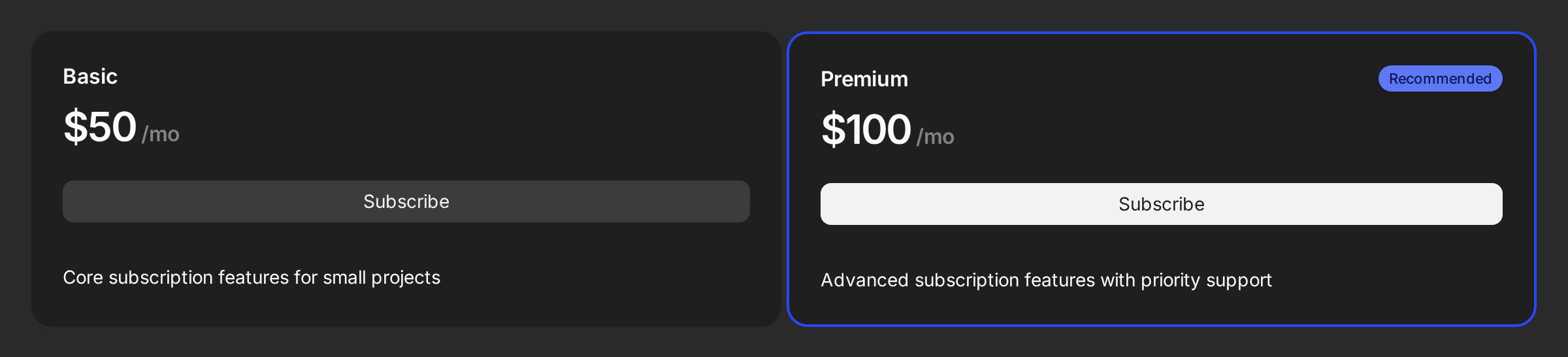
You now have a pricing page with live prices and working checkout. It shows a "Current plan" badge, and handles plan switching, cancel, and resume. Convex keeps all of it in sync. Try it with a [test card](/getting-started/test-mode#testing-payments).
 ## Next steps
Billing cycles, trials, unit-based pricing, and scheduled changes
Owned products, consumables, credit packs, and upgrade paths
Feature gating, usage limits, billing history, and payment recovery
Custom auth/RBAC, entity model, webhook middleware, and migration
## Next steps
Billing cycles, trials, unit-based pricing, and scheduled changes
Owned products, consumables, credit packs, and upgrade paths
Feature gating, usage limits, billing history, and payment recovery
Custom auth/RBAC, entity model, webhook middleware, and migration