> ## Documentation Index
> Fetch the complete documentation index at: https://docs.creem.io/llms.txt
> Use this file to discover all available pages before exploring further.

# Entitlements & Account UI

> Feature gating, usage limits, billing snapshot, billing history, payment recovery, and the customer portal in the Creem Convex component.

Gating features on billing state, evaluating usage limits, and the account-level widgets. The state model itself is explained in [Concepts](/code/sdks/convex/concepts#the-billing-state-model).

<Accordion title="Where this code goes, and what it assumes" icon="list-check">
  Examples on this page are fragments. They render inside the provider you mounted
  in the [Quickstart](/code/sdks/convex/quickstart):

  ```svelte theme={null}
  <CreemConvexProvider api={connectedApi} catalog={billingCatalog}>
    <!-- examples from this page go here -->
  </CreemConvexProvider>
  ```

  If something below does not work, one of these is usually missing. Each links
  straight to the step that sets it up.

  * [Component registered](/code/sdks/convex/quickstart#register-component) — `app.use(creem)` in `convex/convex.config.ts`
  * [Secrets set](/code/sdks/convex/quickstart#set-secrets) — `CREEM_API_KEY` and `CREEM_WEBHOOK_SECRET` in Convex env
  * [Billing API exported](/code/sdks/convex/quickstart#export-billing-api) — `convex/billing.ts` calling `creem.api({ resolve })`
  * [Webhook registered](/code/sdks/convex/quickstart#register-webhook) — `creem.registerRoutes(http)` in `convex/http.ts`
  * [Products created](/code/sdks/convex/quickstart#create-products) — one Creem product per plan and billing cycle
  * [Products synced](/code/sdks/convex/quickstart#sync-products) — `npx convex run billing:syncBillingProducts`
  * [Styles imported](/code/sdks/convex/quickstart#import-styles) — `@creem_io/convex/styles` after the Tailwind import
  * [Catalog defined](/code/sdks/convex/quickstart#define-plans) — `billingCatalog` mapping plan IDs to product IDs
  * [Provider mounted](/code/sdks/convex/quickstart#render-pricing-page) — `<CreemConvexProvider>` around your billing UI
</Accordion>

## Gating UI with BillingGate

`BillingGate` conditionally renders based on which billing actions are available in the snapshot (`checkout`, `portal`, `cancel`, `reactivate`):

<Tabs>
  <Tab title="React">
    ```tsx title="Account page" theme={null}
    <BillingGate
      snapshot={snapshot}
      requiredActions="portal"
      fallback={<p>Upgrade to access the billing portal.</p>}
    >
      <p>You have portal access.</p>
    </BillingGate>
    ```
  </Tab>

  <Tab title="Svelte">
    ```svelte theme={null}
    <BillingGate snapshot={snapshot} requiredActions="portal">
      {#snippet children()}
        <p>You have portal access.</p>
      {/snippet}
      {#snippet fallback()}
        <p>Upgrade to access the billing portal.</p>
      {/snippet}
    </BillingGate>
    ```
  </Tab>
</Tabs>

## Usage limits

Catalog plans can carry `limits` (arbitrary numeric keys like `projects` or `aiMessages`). `evaluateUsageLimits` compares your app's usage counters against the active plan's limits:

```ts theme={null}
import { evaluateUsageLimits } from "@creem_io/convex/react"; // or /svelte

const usageLimits = evaluateUsageLimits({
  catalog: billingCatalog,
  planId: activePlanId,
  usage: {
    projects: 3,
    aiMessages: 72,
  },
});
```

The library evaluates the limits. Your app owns the actual usage counters and decides where they live.

<Warning>
  UI gates are user experience, not security. Protected backend actions must check billing state
  server-side. Read the snapshot inside your Convex function before doing the work.
</Warning>

## UI permissions

`BillingPermissions` controls which widget buttons are enabled. Use it for role-based UI, such as letting only org admins manage billing. Set it once at the provider:

```tsx title="Account page" theme={null}
<CreemConvexProvider
  api={billingApi}
  permissions={{
    canCheckout: isAdmin,
    canChangeSubscription: isAdmin,
    canCancelSubscription: isAdmin,
    canResumeSubscription: isAdmin,
    canUpdateUnits: isAdmin,
    canAccessPortal: isAdmin,
  }}
>
  ...
</CreemConvexProvider>
```

Disabled permissions render greyed-out buttons. This is cosmetic gating only. Enforce the real rules in your Convex functions, as described in [Advanced → Custom auth and RBAC](/code/sdks/convex/advanced#custom-auth-and-rbac).

## Account widgets

### Billing portal

Opens the Creem customer portal, which is where payment methods, billing details, and invoice documents live. It hides itself when the entity has no Creem customer record yet, since customers are created on first checkout:

```tsx title="Account page" theme={null}
<BillingPortal />
<BillingPortal>Manage billing & invoices</BillingPortal>
```

Requires `customers.portalUrl` in the connected API.

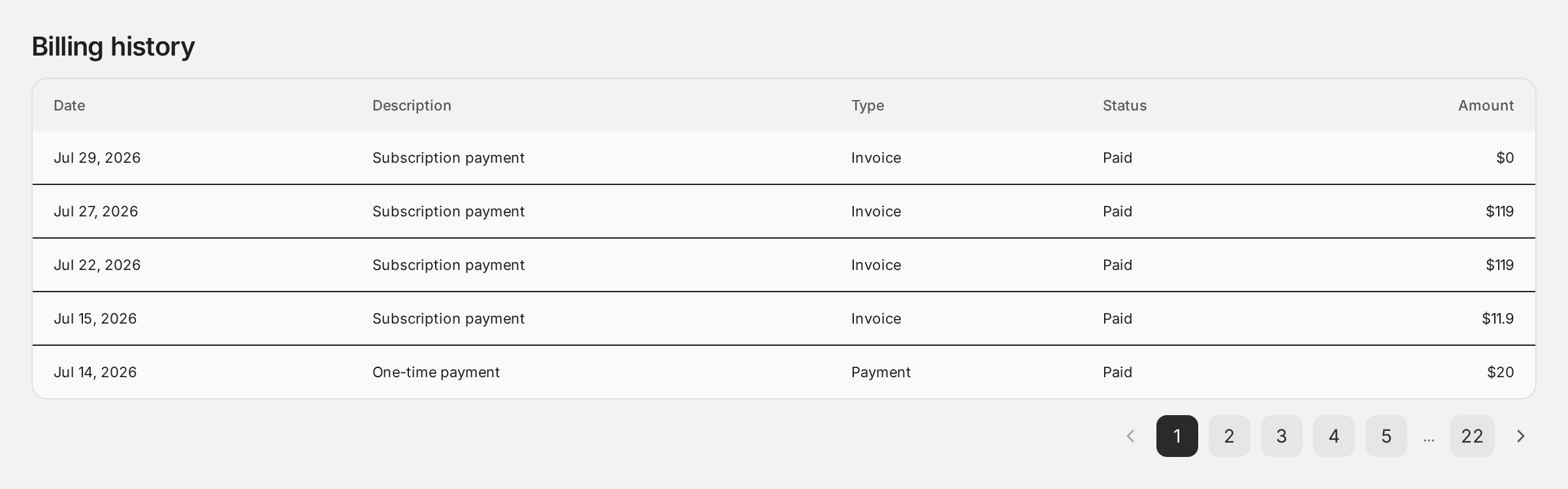
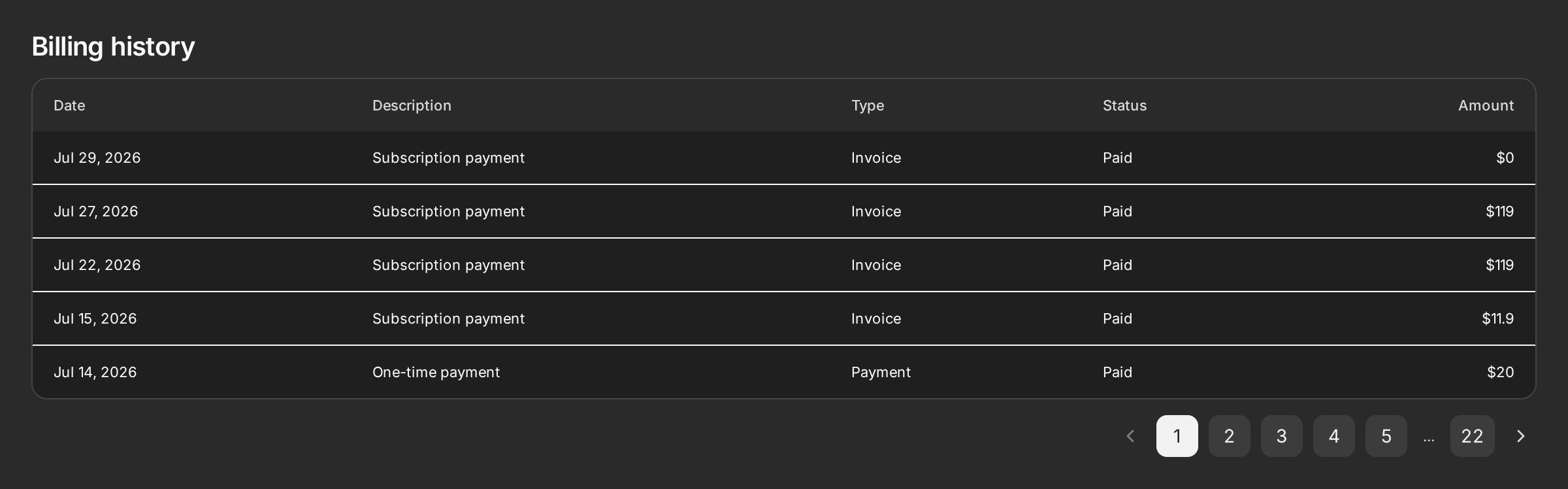
### Billing history

Paginated transaction history, backed by Creem's transaction search. This renders transaction rows, not invoice documents:

```tsx title="Account page" theme={null}
<BillingHistory pageSize={5} />
```

<Frame>
  <img src="https://mintcdn.com/creem/IA-lLh1OWoZ0Tbxw/images/convex/billing-history-light.webp?fit=max&auto=format&n=IA-lLh1OWoZ0Tbxw&q=85&s=750f7765a6f65a1e82cbc9cdcbd5e40f" alt="A billing history table with Date, Description, Type, Status, and Amount columns listing five paid transactions, above a pager running from page 1 to page 22" className="block dark:hidden" width="2400" height="748" data-path="images/convex/billing-history-light.webp" />

  <img src="https://mintcdn.com/creem/IA-lLh1OWoZ0Tbxw/images/convex/billing-history-dark.webp?fit=max&auto=format&n=IA-lLh1OWoZ0Tbxw&q=85&s=804b6ae57b40a1e58d502ab776e614ad" alt="A billing history table with Date, Description, Type, Status, and Amount columns listing five paid transactions, above a pager running from page 1 to page 22" className="hidden dark:block" width="2400" height="748" data-path="images/convex/billing-history-dark.webp" />
</Frame>

Requires `transactions.search` in the connected API. Export `transactionsSearch` from `convex/billing.ts` and `connectCreemApi` wires it automatically.
<Note>
  **Portal-only today.** Payment methods, billing details, and invoice documents are handled by
  Creem's hosted portal, which `<BillingPortal>` opens for the customer. Prefer them embedded in
  your own UI as Widgets? Vote for [payment method, billing preference, and invoice
  APIs](https://creem.featurebase.app/p/payment-method-billing-preference-and-invoice-apis).
</Note>

### Payment recovery

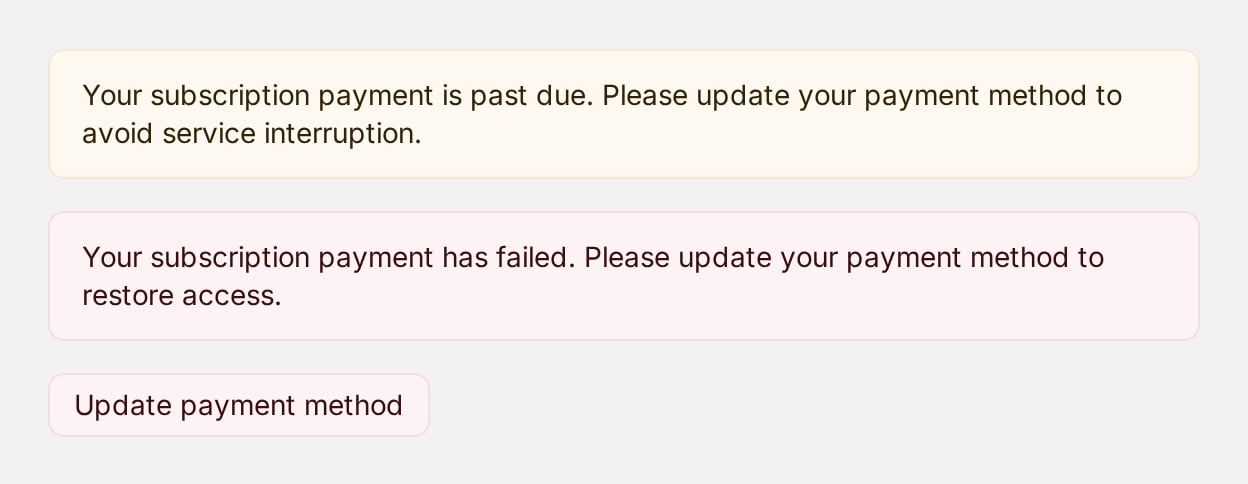
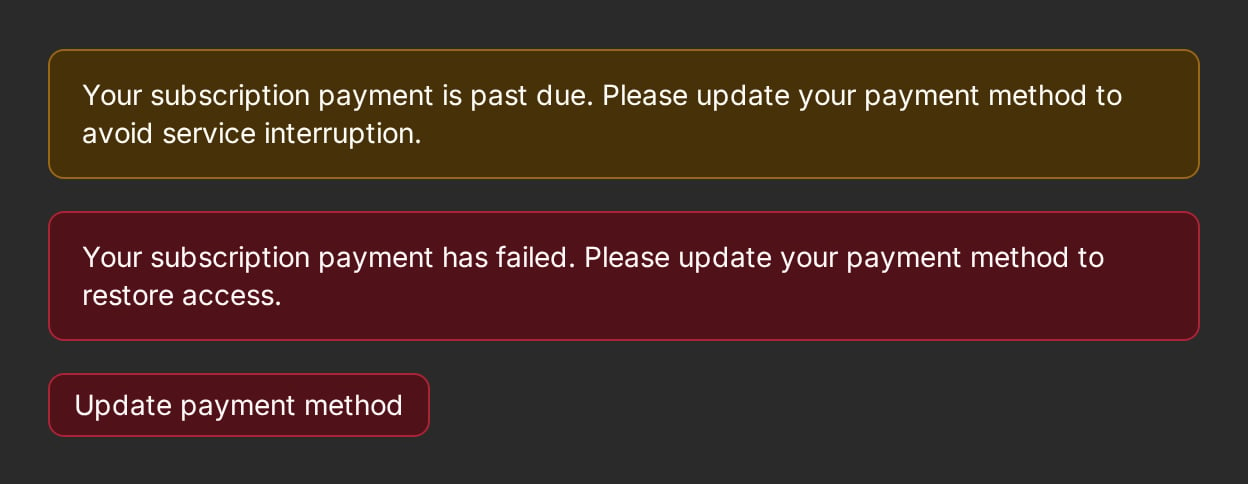
When a subscription is past due or a payment failed, surface it and route the user to the portal to fix their payment method:

```tsx title="Account page" theme={null}
<PaymentRecoveryBanner snapshot={snapshot} />
<PaymentRecoveryButton />
```

<Frame>
  <img src="https://mintcdn.com/creem/IA-lLh1OWoZ0Tbxw/images/convex/payment-recovery-light.webp?fit=max&auto=format&n=IA-lLh1OWoZ0Tbxw&q=85&s=6fb5766466482b00200a787b73ddf65b" alt="A yellow past-due banner above a red payment-failed banner, followed by an Update payment method button" className="block dark:hidden" width="1248" height="484" data-path="images/convex/payment-recovery-light.webp" />

  <img src="https://mintcdn.com/creem/IA-lLh1OWoZ0Tbxw/images/convex/payment-recovery-dark.webp?fit=max&auto=format&n=IA-lLh1OWoZ0Tbxw&q=85&s=70015f90aeb592ad69443aaebe365bb0" alt="A yellow past-due banner above a red payment-failed banner, followed by an Update payment method button" className="hidden dark:block" width="1248" height="484" data-path="images/convex/payment-recovery-dark.webp" />
</Frame>

The banner derives its state from `snapshot.paymentRecoveryState` (or accepts an explicit state). The button reads `customers.portalUrl` from the provider like every other connected widget, and renders nothing when no portal action is wired.

### Checkout success

Show a confirmation banner when the user returns from checkout. Creem's query parameters are parsed for you:

```tsx title="Account page" theme={null}
<CheckoutSuccessSummary />
```

React additionally exports a `useCheckoutSuccessParams()` hook returning the parsed params.

### Status banners

Presentational components for specific states, fed from the snapshot:

| Component               | Shows                                                                 |
| ----------------------- | --------------------------------------------------------------------- |
| `ScheduledChangeBanner` | Scheduled cancellation or pending period-end update, with undo/resume |
| `TrialLimitBanner`      | Trial expiration notice                                               |
| `PaymentWarningBanner`  | Pending, refunded, or partially refunded payment warning              |

## Server-side entitlement checks

The same snapshot powers backend enforcement:

```ts title="convex/projects.ts" theme={null}
export const createProject = mutation({
  args: { name: v.string() },
  handler: async (ctx, args) => {
    const user = await requireUser(ctx);
    const snapshot = await creem.getBillingSnapshot(ctx, {
      entityId: user.orgId ?? user._id,
    });
    // `access` only contains entitlements that are currently valid, so the
    // presence of a subscription item is the check. Do not add
    // `a.status === "active"`: that would deny users on a trial or in the
    // `past_due` dunning grace period, who should still have access.
    const hasPaidAccess = snapshot.access.some((a) => a.kind === "subscription");
    const projectCount = await countProjects(ctx, user.orgId ?? user._id);
    if (!hasPaidAccess && projectCount >= FREE_PROJECT_LIMIT) {
      throw new ConvexError("Upgrade to create more projects");
    }
    // ...create the project
  },
});
```

Widget gates keep the UI honest. This check is what actually protects the feature.

### Checking a single subscription

When you gate on `subscriptions.getCurrent` rather than the snapshot, test the
**status** - never the mere existence of a subscription. A returned
subscription may be `unpaid` or `paused`, in which case it must not grant
access:

```ts theme={null}
import { isActiveSubscriptionStatus } from "@creem_io/convex";

const subscription = await creem.subscriptions.getCurrent(ctx, { entityId });
const hasAccess = isActiveSubscriptionStatus(subscription?.status);
```

`isActiveSubscriptionStatus` treats `active`, `trialing`, `scheduled_cancel`,
and `past_due` as entitling. `past_due` is a payment-retry window rather than a
loss of access - surface it with
[`PaymentRecoveryBanner`](#payment-recovery) instead of cutting the user off.